
LPCAMM2 vs SODIMM Laptop RAM in 2026: Is Upgradeable LPDDR5X the Future of Laptop Memory?
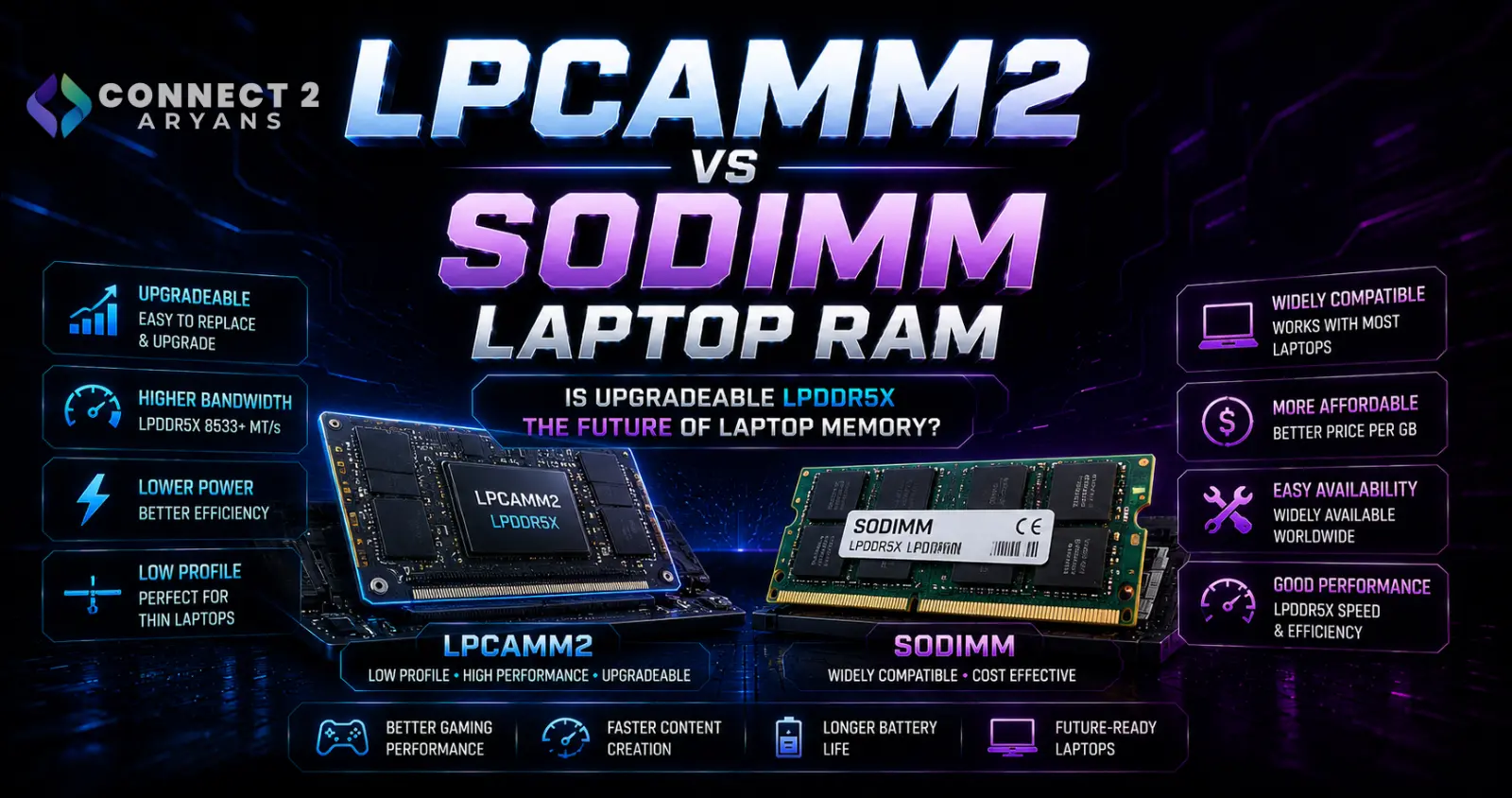
LPCAMM2 vs SODIMM Laptop RAM in 2026: Is Upgradeable LPDDR5X the Future of Laptop Memory?
Buying a laptop has traditionally involved a frustrating compromise.
If you want replaceable and upgradeable RAM, the laptop will often use SODIMM modules.
If you want the power efficiency and high bandwidth of LPDDR memory, manufacturers commonly solder the memory directly onto the motherboard.
That means the laptop may be thinner and more efficient, but the RAM capacity you purchase can become permanent.
A newer memory form factor is designed to change that:
LPCAMM2.
Micron describes LPCAMM2 as a modular laptop-memory solution combining LPDDR5X with the CAMM2 form factor, giving laptop manufacturers access to high-performance, low-power memory without making the RAM permanently soldered to the motherboard.
And the technology is continuing to advance.
Micron's current LPCAMM2 platform information lists speed capability reaching 9600MT/s, while still allowing the memory module to be replaced.
That makes LPCAMM2 particularly interesting for the next generation of:
thin-and-light laptops, AI PCs, mobile workstations and potentially other high-performance portable systems.
But LPCAMM2 is not simply “faster laptop RAM.”
Its biggest advantage may be something laptop users have gradually been losing:
upgradeability.
Why Laptop RAM Needed a New Form Factor
For decades, replaceable laptop memory has largely meant:
SODIMM.
SODIMM stands for:
Small Outline Dual Inline Memory Module.
It is essentially the compact laptop-oriented relative of desktop DIMM memory.
SODIMM has served laptops extremely well.
You can open a compatible laptop, remove an existing module and install another one.
That makes upgrades such as:
8GB → 16GB
or
16GB → 32GB
possible without replacing the entire laptop.
But modern laptop design has changed significantly.
Manufacturers increasingly want systems that are:
thinner,
lighter,
more power efficient,
and capable of higher memory bandwidth.
Traditional SODIMM designs make some of those goals more difficult.
Why Manufacturers Started Soldering RAM
Many thin laptops therefore moved toward LPDDR memory.
LPDDR means:
Low-Power Double Data Rate.
It is designed specifically around lower power consumption and mobile computing.
Micron explains that LPDDR is optimized for devices expected to rapidly transition between high performance and very low-power states.
That makes it attractive for laptops where battery life matters.
But there has historically been a major disadvantage.
LPDDR used in laptops has commonly been:
soldered directly onto the motherboard.
There is no removable memory stick.
If your laptop has 16GB of soldered RAM, you usually cannot simply buy another module later and turn it into a 32GB system.
The Soldered-RAM Problem
Soldered memory creates several practical problems for buyers.
You must predict future RAM requirements
A laptop that needs only 16GB today might need 32GB several years later.
With soldered memory, that upgrade may be impossible.
Memory failure becomes more complicated
With removable RAM, a failed module can potentially be replaced independently.
With soldered RAM, repair may involve board-level work or motherboard replacement.
Used-laptop buyers have less flexibility
You cannot necessarily buy a cheaper lower-memory configuration and upgrade it later.
The laptop's useful life can be limited by RAM
A perfectly functional CPU, display and SSD may remain adequate while the permanently fixed memory capacity becomes the bottleneck.
LPCAMM2 attempts to preserve the benefits of LPDDR while solving this modularity problem.
What Is LPCAMM2?
LPCAMM2 is a compact modular memory form factor designed primarily for laptops.
Micron describes it as:
LPDDR5X memory in a CAMM2-based modular form factor.
The important words are:
LPDDR5X
and
modular.
Instead of permanently soldering the LPDDR5X chips onto the laptop motherboard, the memory chips sit on a replaceable module.
The module connects to the motherboard through a compression-style connection.
That means laptop designers can obtain the power and performance characteristics of LPDDR5X while still allowing memory replacement.
What Does LPCAMM2 Stand For?
LPCAMM2 refers to the low-power CAMM2 memory implementation used with LPDDR technology.
The key idea is not merely the acronym.
It is the architecture:
low-power mobile DRAM + compact removable module.
This distinguishes it from conventional DDR5 SODIMM memory.
LPCAMM2 vs CAMM2
You may see both names used.
CAMM2 describes the broader standardized memory-module form factor.
LPCAMM2 refers to the low-power implementation using LPDDR memory such as LPDDR5X.
So not every discussion of CAMM2 necessarily refers to exactly the same memory technology.
When buying a laptop or replacement module, check the precise implementation supported by that machine.
LPCAMM2 vs DDR5 SODIMM
The easiest way to understand LPCAMM2 is to compare it with familiar laptop DDR5 SODIMM memory.
| Feature | DDR5 SODIMM | LPCAMM2 |
|---|---|---|
| Replaceable | Yes | Yes |
| Laptop-focused | Yes | Yes |
| Typical memory technology | DDR5 | LPDDR5X |
| Low-power LPDDR architecture | No | Yes |
| Compact board footprint | Larger | Smaller |
| Dual-channel capability from one module | Platform/configuration dependent | 128-bit architecture from one module |
| Current Micron speed capability | Depends on product/platform | Up to 9600MT/s |
| Universal laptop compatibility | No | No |
| Upgrade requires compatible laptop | Yes | Yes |
The biggest difference is that LPCAMM2 combines LPDDR5X characteristics with modularity.
LPCAMM2 Can Use Less Motherboard Space
Space inside a laptop is extremely valuable.
The motherboard competes with:
battery,
cooling system,
SSD,
speakers,
wireless hardware,
ports,
and other components.
Micron says its LPCAMM2 implementation can provide up to 64% space savings compared with the dual-stacked DDR5 SODIMM configuration used in its comparison.
That freed space can potentially help manufacturers:
install a larger battery,
improve cooling,
reduce chassis size,
or rearrange internal components.
This is one reason the technology is particularly attractive for thin laptops.
Why LPCAMM2 Can Be Thinner
A conventional SODIMM enters a socket at an angle and then lies down.
Depending on the laptop design, multiple modules and their sockets can consume significant vertical and board space.
LPCAMM2 uses a different approach.
Micron's technical documentation explains that the module is compressed against a connector interfacing with the motherboard.
That enables a flatter memory installation.
For manufacturers trying to reduce laptop thickness, this can be valuable.
One LPCAMM2 Module Can Provide a 128-Bit Memory Interface
This is another major architectural difference.
Micron states that one LPCAMM2 module fills the full 128-bit CPU memory bus width used in its supported implementation.
This means one module can provide the full memory interface rather than requiring two separate traditional modules simply to populate both channels in the familiar SODIMM arrangement.
That can simplify laptop memory layout while maintaining high bandwidth.
Does One LPCAMM2 Module Mean Single Channel?
This is where traditional RAM terminology can become misleading.
PC builders are used to thinking:
one RAM stick = single channel
and
two RAM sticks = dual channel.
That rule cannot simply be carried over to LPCAMM2.
Micron explicitly describes LPCAMM2 as a 128-bit low-power solution, and its documentation says a single module can fill the CPU's 128-bit bus width.
So seeing one physical LPCAMM2 module inside a laptop does not mean the memory subsystem is equivalent to an ordinary single-channel SODIMM setup.
Why Shorter Memory Traces Matter
Memory signals travel between the processor and RAM through electrical traces on the motherboard.
As memory speeds increase, signal integrity becomes increasingly important.
Micron explains that LPCAMM2's compact connector arrangement results in a smaller footprint and shorter traces, helping enable faster speeds.
This is one of the technical reasons laptop memory cannot simply keep increasing frequency forever using exactly the same physical architecture.
The module layout itself matters.
How Fast Is LPCAMM2 in 2026?
Micron's current LPCAMM2 platform information lists speed capability of up to:
9600MT/s.
Its technical brief lists:
Max Data Rate: up to 9.6Gb/s
for the LPDDR5X CAMM2 implementation.
That is substantial memory bandwidth for a laptop-oriented module.
But there is an important buying rule:
The RAM's maximum capability does not mean every laptop will operate it at that speed.
The actual operating speed depends on:
processor,
memory controller,
laptop motherboard,
firmware,
and supported module configuration.
Crucial LPCAMM2 Reached 8533MT/s
In September 2025, Micron announced Crucial LPCAMM2 memory reaching:
8533MT/s
with capacities up to:
64GB.
Micron positioned these modules particularly toward:
AI workloads,
multitasking,
content creation,
and mobile professional systems.
Its current Micron technology platform goes further, listing future/current speed capability up to 9600MT/s.
This shows that LPCAMM2 is not a static first-generation technology.
Its performance ceiling is continuing to move upward.
LPCAMM2 and Power Consumption
Performance is only half the reason LPCAMM2 exists.
The other major factor is:
power efficiency.
LPDDR memory was created specifically for low-power applications.
Micron's current LPCAMM2 comparisons state that its implementation can consume up to:
61% less active power
and
80% less system standby power
than the DDR5 SODIMM comparison configuration it tested.
These figures are vendor test comparisons rather than a promise that every LPCAMM2 laptop will gain the same percentage of battery life.
Total laptop battery life also depends on:
CPU,
GPU,
display,
battery size,
wireless activity,
storage,
cooling,
software,
and workload.
Lower RAM Power Does Not Mean 80% Longer Laptop Battery Life
This distinction is extremely important.
If the memory subsystem consumes less standby power, the whole laptop does not automatically gain 80% more battery life.
RAM is only one part of the machine's total power consumption.
A gaming laptop running a powerful discrete GPU can consume far more energy through its GPU than through its memory.
Therefore, interpret Micron's power figures correctly:
they compare memory subsystem behavior, not total laptop runtime.
Why LPCAMM2 Matters for AI PCs
Modern AI workloads can be memory intensive.
Integrated GPUs and NPUs may also depend heavily on system memory bandwidth depending on platform architecture.
Micron says LPCAMM2's high-bandwidth 128-bit architecture is optimized for workloads including on-device AI inference.
That makes the technology particularly relevant to the growing AI-PC market.
But consumers should still avoid assuming:
LPCAMM2 = faster AI in every laptop.
The CPU, GPU, NPU, software and model being executed remain critical.
LPCAMM2 Does Not Replace a Dedicated GPU
High memory bandwidth is useful, but it does not turn system RAM into a high-end graphics card.
For gaming laptops, the discrete GPU remains one of the most important specifications affecting gaming performance.
A laptop with excellent LPCAMM2 memory but a weak GPU can still perform worse in games than a conventional DDR5 SODIMM laptop with a significantly stronger GPU.
For gaming systems, compare the entire machine.
Browse Gaming Laptops on Connect2Aryans
The Biggest LPCAMM2 Advantage May Be Upgradeability
High speeds look impressive in marketing.
For many buyers, however, LPCAMM2's most valuable feature may simply be:
you can replace it.
Micron specifically emphasizes that LPCAMM2 allows users to upgrade PC memory capacity.
That restores flexibility that disappeared from many thin-and-light laptops when manufacturers switched to soldered LPDDR.
A buyer could potentially purchase a machine with enough RAM today and increase capacity later—provided compatible replacement modules exist for that exact laptop.
LPCAMM2 Can Also Improve Repairability
Suppose the laptop's memory develops a fault.
With soldered RAM, the repair can become a motherboard-level issue.
With modular memory, the module can potentially be diagnosed and replaced separately.
That does not guarantee every laptop manufacturer will make the repair process equally simple.
Internal access may still require:
removing the bottom cover,
disconnecting the battery,
removing shields,
and following manufacturer procedures.
But a replaceable memory module is fundamentally more serviceable than permanently soldered memory.
Does LPCAMM2 Mean Every Thin Laptop Will Become Upgradeable?
No.
LPCAMM2 gives laptop manufacturers a standardized modular option.
It does not force every manufacturer to use it.
Companies can still design laptops with:
soldered LPDDR,
traditional SODIMM,
LPCAMM2,
or other supported configurations.
So never assume a 2026 laptop has replaceable memory simply because it is new.
Check the exact model.
Can You Install LPCAMM2 in a SODIMM Laptop?
No.
LPCAMM2 and SODIMM use completely different physical module and connector designs.
A laptop designed for DDR5 SODIMM does not suddenly become an LPCAMM2 laptop by purchasing an LPCAMM2 module.
Likewise, you cannot insert a DDR5 SODIMM into an LPCAMM2 connector.
Memory form factor compatibility must match the laptop.
Can You Upgrade a Soldered-RAM Laptop to LPCAMM2?
Generally, no.
If a laptop was designed with LPDDR chips soldered directly to its motherboard, there is no LPCAMM2 connector waiting underneath.
LPCAMM2 support must be designed into the laptop motherboard.
This is therefore primarily a feature to look for when:
buying a new laptop
rather than something that upgrades an existing soldered-memory machine.
LPCAMM2 Compatibility Is Model-Specific
Micron explicitly warns that Crucial LPCAMM2 modules work only with select laptops.
That makes compatibility checking essential.
Before buying replacement LPCAMM2 memory, verify:
exact laptop model
supported module type
supported capacities
supported memory speed
and
manufacturer service documentation.
Do not buy LPCAMM2 simply because your processor theoretically supports LPDDR5X.
Which Laptops Already Use LPCAMM2?
One important early implementation was the Lenovo ThinkPad P1 Gen 7.
Micron announced Crucial LPCAMM2 compatibility with that workstation in May 2024, showing that the technology moved beyond a paper specification into commercial PCs.
By September 2025, Micron said LPCAMM2 was compatible with next-generation AI mobile workstations from Lenovo and Dell Technologies, while forecasting broader adoption.
That does not mean every Lenovo or Dell laptop uses LPCAMM2.
Compatibility remains model-specific.
LPCAMM2 vs Soldered LPDDR5X
This is arguably the most important comparison.
Both can provide the benefits of LPDDR5X.
The major difference is physical implementation.
Soldered LPDDR5X
Memory packages are permanently attached to the motherboard.
Advantages can include extremely compact implementation.
The disadvantage is poor upgradeability and serviceability.
LPCAMM2
LPDDR5X sits on a removable module.
This preserves much of the low-power, high-bandwidth appeal while making the memory replaceable.
That is why LPCAMM2 is potentially significant for long-term laptop ownership.
LPCAMM2 vs DDR5 SODIMM for Gaming Laptops
For gaming, there is no simple rule saying:
LPCAMM2 is always better.
Gaming performance depends heavily on:
GPU,
CPU,
cooling,
power limits,
display resolution,
game engine,
and memory behavior.
DDR5 SODIMM remains an excellent modular solution in many gaming laptops.
LPCAMM2 offers interesting advantages in:
bandwidth,
power efficiency,
space efficiency,
and form factor.
But you should evaluate the actual laptop rather than choosing solely by RAM format.
Two SODIMMs Are Still Perfectly Useful
Do not interpret the arrival of LPCAMM2 as evidence that DDR5 SODIMM is obsolete.
Connect2Aryans' current RAM catalogue includes conventional DDR5 SODIMM modules for laptop upgrades, showing that SODIMM remains relevant for existing compatible machines.
Browse Memory (RAM) on Connect2Aryans
If your laptop supports DDR5 SODIMM and you need more capacity, install the memory type the manufacturer designed it to use.
There is no reason to replace the laptop merely because a newer memory form factor exists.
DDR4 SODIMM Is Not LPCAMM2 Either
Older laptops commonly use DDR4 SODIMM.
DDR4 SODIMM, DDR5 SODIMM and LPCAMM2 are different memory technologies/form factors.
For example, Connect2Aryans currently lists conventional DDR4 SODIMM laptop modules alongside newer DDR5 SODIMM products.
That demonstrates why searching only for:
“laptop RAM”
is not enough.
You need the correct memory generation and form factor for the machine.
Can LPCAMM2 Help Laptop Cooling?
Indirectly, potentially.
LPCAMM2 itself is not a CPU cooler.
But using less motherboard space can give laptop engineers greater freedom when arranging internal components.
Micron specifically identifies the smaller footprint as a way designers can create thinner/lighter systems or use the freed space differently.
Depending on the laptop design, that space could contribute to:
larger battery placement,
different cooling layouts,
or other internal changes.
But cooling performance still depends on the laptop manufacturer's complete thermal design.
Does LPCAMM2 Make a Laptop Lighter?
Not automatically.
The memory module is compact, but laptop weight depends on the entire machine.
Battery size,
chassis material,
display,
cooling system,
GPU,
and structural design
can have much larger effects.
LPCAMM2 gives manufacturers additional design flexibility rather than guaranteeing a specific laptop weight.
LPCAMM2 and Battery Life
Battery-conscious buyers should find LPCAMM2 particularly interesting because it uses LPDDR5X.
Micron's comparisons show significantly lower memory power consumption than its DDR5 SODIMM comparison configuration.
But battery-life reviews of the complete laptop remain more useful than memory specifications alone.
Two laptops with the same memory technology can have very different battery runtimes.
Always consider:
battery capacity,
display technology,
processor efficiency,
GPU,
power profile,
and workload.
LPCAMM2 and Integrated Graphics
Integrated GPUs commonly use system memory rather than dedicated VRAM.
That means memory bandwidth can be especially relevant.
A high-bandwidth memory subsystem may therefore help certain integrated-graphics workloads.
However, performance varies greatly by processor architecture.
Do not assume that installing faster LPCAMM2 will automatically provide a fixed percentage increase in gaming FPS.
The laptop platform determines supported memory operation.
Why This Matters for Used Laptops in Pakistan
Upgradeability is particularly valuable in the used-laptop market.
A laptop may remain useful for many years if users can replace:
SSD,
RAM,
battery,
and other serviceable components.
Soldered memory removes one of those upgrade paths.
LPCAMM2 potentially restores it while retaining LPDDR's power benefits.
For buyers in Pakistan who plan to keep a laptop for several years, checking whether RAM is:
soldered
SODIMM
or
LPCAMM2
can therefore be just as important as checking the installed capacity.
Don't Buy a Laptop Based Only on Installed RAM Capacity
Imagine two laptops:
Laptop A: 16GB soldered LPDDR5X
Laptop B: 16GB replaceable memory
If both capacities are enough today, they may look equivalent on a specification sheet.
But several years later, your workload might require 32GB.
Laptop B may have a straightforward upgrade path.
Laptop A may not.
That makes memory upgradeability a specification worth checking before purchase.
16GB vs 32GB vs 64GB Still Matters More Than the Form Factor for Many Users
A sophisticated memory architecture does not compensate for insufficient capacity.
If your applications genuinely require 32GB, a 16GB system can still become memory constrained.
Similarly, someone running:
virtual machines,
large creative projects,
local AI models,
professional engineering applications,
or heavy multitasking
may benefit from higher capacity.
Choose the required capacity first.
Then evaluate the memory technology.
Should Gamers Care About LPCAMM2?
Yes—but it should not be the first specification you choose.
For a gaming laptop, priorities normally include:
GPU
CPU
display
cooling
RAM capacity
SSD
and
power limits.
Memory form factor becomes especially valuable when comparing otherwise similar laptops.
If one gives you a useful future RAM upgrade path while another permanently locks the installed memory capacity, that can influence long-term value.
Compare Gaming Laptops on Connect2Aryans
Should Content Creators Care?
Potentially even more.
Video editing, 3D work, large image projects and professional applications can consume significant RAM.
A creator may purchase a laptop with 32GB today and later discover that a workload benefits from 64GB.
Upgradeable memory gives the machine more flexibility.
Micron specifically positions current LPCAMM2 toward creators, mobile professionals and AI workloads.
Should You Upgrade From SODIMM to LPCAMM2?
You generally cannot upgrade between those form factors without changing the laptop itself.
If your current machine uses SODIMM, continue using compatible SODIMM memory.
If the laptop performs well, there is no reason to replace it solely because LPCAMM2 exists.
LPCAMM2 should mainly influence your decision when buying your next laptop.
What to Check Before Buying an LPCAMM2 Laptop
Do not stop after seeing “LPCAMM2” on a specification sheet.
Check the following.
Installed capacity
Is the laptop equipped with 16GB, 32GB or another capacity?
Maximum supported capacity
The laptop manufacturer determines supported configurations.
Memory speed
Do not assume every LPCAMM2 system runs at the module technology's maximum available speed.
Upgrade procedure
Check whether the manufacturer considers the module user-serviceable.
Replacement availability
A theoretically replaceable module is less useful if compatible modules are difficult to obtain in your market.
Warranty rules
Opening a laptop or replacing components can have different warranty implications depending on the manufacturer and region.
Do Not Buy LPCAMM2 Before Checking the Exact Laptop Model
This deserves repeating.
LPCAMM2 is not a universal laptop upgrade.
Micron explicitly states that its Crucial LPCAMM2 products work only with select laptops.
Before purchasing:
find the full laptop model number
then
check the manufacturer's memory specification.
Do not rely only on the CPU model.
What Laptop Buyers in Pakistan Should Consider
For Pakistani buyers, replacement-part availability matters alongside technical superiority.
A newer technology may be excellent but initially less common in the local market.
Before choosing an LPCAMM2 laptop specifically for upgradeability, consider:
Is compatible replacement memory available?
Can it be imported if necessary?
What capacity does the laptop support?
Does the manufacturer provide service documentation?
Will opening the laptop affect warranty coverage?
Meanwhile, conventional SODIMM remains widely understood and supported across many existing laptops.
The better choice depends on the complete machine and your intended ownership period.
A Practical Laptop RAM Buying Checklist for 2026
Before purchasing a laptop, identify:
Memory type
DDR4, DDR5, LPDDR5X or another supported technology.
Memory form factor
SODIMM, LPCAMM2 or soldered memory.
Installed capacity
Don't assume it can be increased later.
Maximum supported capacity
Check official manufacturer documentation.
Replaceability
Look for explicit confirmation rather than guessing from the RAM technology.
Memory speed
Verify the laptop's supported operating speed.
Number of modules
Relevant for conventional SODIMM configurations.
Upgrade access
Some laptops make memory replacement significantly easier than others.
Local replacement availability
Particularly important for newer form factors in Pakistan.
LPCAMM2 vs SODIMM vs Soldered LPDDR5X
| Feature | DDR5 SODIMM | Soldered LPDDR5X | LPCAMM2 |
|---|---|---|---|
| Replaceable | Yes | Usually no | Yes |
| Upgradeable | Yes | Usually no | Yes |
| Uses LPDDR5X | No | Yes | Yes |
| Compact implementation | Moderate | Excellent | Excellent |
| Power-focused memory | DDR5 characteristics | Yes | Yes |
| Suitable for thin laptops | Yes, design dependent | Yes | Yes |
| Requires specific laptop support | Yes | Built into device | Yes |
| Can be installed in a normal SODIMM slot | — | No | No |
| Micron speed capability up to 9600MT/s | No general claim | Platform dependent | Yes |
LPCAMM2's distinctive advantage is the combination of LPDDR5X performance/power characteristics with a replaceable module.
Frequently Asked Questions
What is LPCAMM2?
LPCAMM2 is a modular laptop-memory form factor that can use LPDDR5X memory, combining high bandwidth and low power consumption with replaceability and upgradeability.
Is LPCAMM2 upgradeable?
Yes, LPCAMM2 is modular. Unlike soldered LPDDR memory, a compatible module can be removed and replaced. The laptop itself must support LPCAMM2.
Is LPCAMM2 faster than DDR5 SODIMM?
Micron's current LPCAMM2 technology supports speeds up to 9600MT/s and is designed for higher-bandwidth low-power operation, but actual laptop performance depends on the complete platform.
Can I put LPCAMM2 in a DDR5 SODIMM slot?
No. The physical interfaces are different. The laptop must specifically be designed for LPCAMM2.
Can I upgrade my soldered LPDDR5X laptop to LPCAMM2?
Normally no. LPCAMM2 requires a compatible motherboard connector and system design.
Does one LPCAMM2 module run in dual channel?
Traditional stick-count terminology does not translate directly. Micron describes LPCAMM2 as a 128-bit solution and states that one module can fill the CPU's 128-bit bus width on supported platforms.
Does LPCAMM2 improve laptop battery life?
Its LPDDR5X architecture can significantly reduce memory power consumption compared with DDR5 SODIMM in Micron's tests, but total laptop battery life depends on many other components.
Is SODIMM becoming obsolete?
No. DDR4 and DDR5 SODIMM remain widely used in laptops and mini PCs. LPCAMM2 provides another memory architecture rather than instantly replacing all SODIMM systems.
Is LPCAMM2 good for gaming laptops?
It can provide high bandwidth, power efficiency and upgradeability, but GPU, CPU, cooling and display remain more important when comparing gaming performance.
Should I choose LPCAMM2 when buying a laptop in Pakistan?
It can be a valuable feature, especially if you want thin-laptop efficiency without permanently soldered RAM. However, verify compatible module availability, maximum capacity, warranty terms and the exact laptop's upgrade procedure before buying.
Conclusion
For years, laptop manufacturers faced an uncomfortable choice.
Use SODIMM and retain replaceable RAM.
Or use LPDDR to improve power efficiency and packaging while usually giving up memory upgradeability.
LPCAMM2 offers a third option.
It combines LPDDR5X with a compact modular memory form factor, allowing manufacturers to build thin, power-conscious laptops without necessarily soldering the system memory permanently to the motherboard.
The technology also has serious performance potential.
Micron's current LPCAMM2 platform lists speeds reaching 9600MT/s, a 128-bit architecture and substantial space and memory-power advantages compared with the DDR5 SODIMM configurations used in its testing.
But the most important improvement may not be the speed number.
It is this:
the RAM can be replaced.
That matters for upgrades.
It matters for repairs.
It matters for used laptops.
And it matters for buyers who want to keep a machine for several years rather than replacing an entire laptop simply because its original RAM capacity becomes inadequate.
LPCAMM2 is still not something every laptop buyer needs to demand in 2026.
DDR5 SODIMM remains a perfectly good upgradeable memory solution, and soldered LPDDR systems can still make sense where maximum compactness is the priority.
The key is understanding what you're buying.
Before choosing your next laptop, don't check only:
“How much RAM does it have?”
Also check:
“Can I replace that RAM later?”
That single question can make a major difference to the laptop's useful life.
Browse Laptop & Desktop RAM on Connect2Aryans
View DDR5 SODIMM Laptop Memory on Connect2Aryans

