
Filters
Price Range
From
To
Brand
Availability
Pre-Built PC » Gaming & Streaming Pre-Built PC
Shop gaming and streaming pre-built PCs in Pakistan for playing, broadcasting, recording, and creating gaming content. Compare processor and graphics configurations, RAM, SSD storage, cooling, connectivity, and upgrade options according to your games, streaming software, resolution, and performance requirements.
1 Products
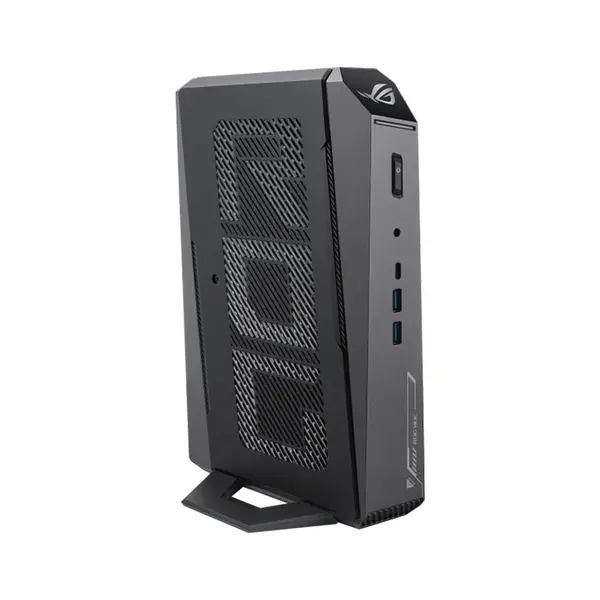
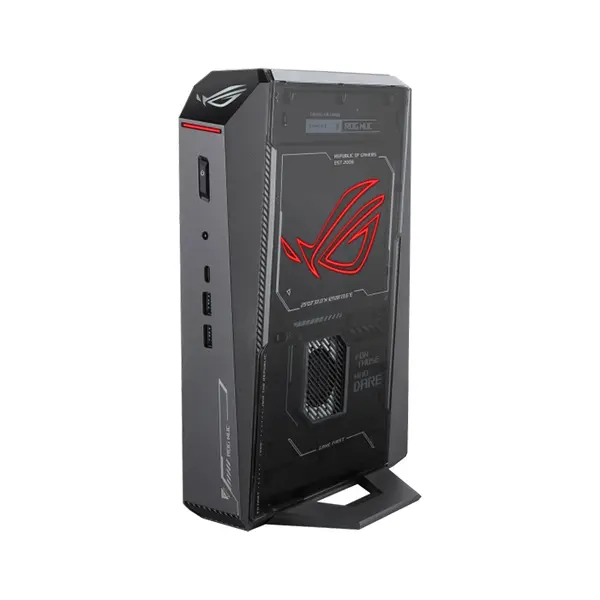
Quick view
Rs. 825,000
Gaming & Streaming Pre-Built PC Price in Pakistan
Compare gaming and streaming pre-built PC prices in Pakistan across systems configured for gaming, live streaming, recording, and content creation. Requirements can vary significantly according to the games you play, resolution, graphics settings, target frame rate, streaming software, encoder, stream resolution, recording requirements, and other applications running simultaneously. Compare the complete system configuration rather than selecting a PC from one component alone.
Gaming & Streaming PCs for Gamers & Content Creators
Gaming while streaming can place different demands on a system depending on how the game and streaming software use available hardware. A suitable configuration can involve the processor, graphics card, RAM, storage, cooling, networking, and other components. Check both your games and streaming software requirements when comparing systems.
Intel & AMD Gaming & Streaming PCs
Gaming and streaming PCs can use Intel or AMD processors depending on the individual configuration. Performance varies according to the exact processor model, architecture, core configuration, clock behavior, power limits, cooling, game, encoder, and streaming workload. Compare individual processors for your intended applications instead of choosing solely according to processor brand.
Graphics Cards for Gaming & Streaming
The graphics card can influence gaming performance and may also provide hardware-accelerated video encoding supported by compatible streaming or recording software. Capabilities vary by GPU model, architecture, encoder generation, software, codec, and settings. Compare the exact graphics card and its supported features against your gaming and streaming requirements.
CPU Performance for Streaming
Processor requirements depend partly on the encoding method and the other applications running alongside the game. CPU-based encoding can place additional load on the processor, while supported hardware encoding can shift parts of the encoding workload to dedicated hardware. The appropriate CPU therefore depends on the complete streaming configuration rather than core count alone.
RAM for Gaming & Streaming
Memory requirements depend on the game, streaming application, browser tabs, communication software, recording tools, overlays, background applications, and other simultaneous workloads. Check installed RAM capacity, memory type, module configuration, available slots, and upgrade support rather than relying on one universal memory recommendation.
SSD Storage for Games & Recordings
Gaming and streaming systems can require considerable storage for games, applications, recordings, clips, and other media. NVMe SSDs and other storage devices are available in different capacities and performance classes. Consider your installed games, recording requirements, file sizes, and available expansion options when comparing storage configurations.
Gaming, Streaming & Recording on One PC
A single PC can potentially handle gaming, streaming, and recording when its hardware and software configuration supports the combined workload. Performance depends on the game, encoder, recording settings, streaming settings, background applications, and available system resources. Check your intended workflow rather than assuming every gaming PC will provide the same streaming experience.
Streaming Resolution & Frame Rate
Streaming requirements can change with output resolution, frame rate, encoder settings, bitrate, platform requirements, and available network upload capacity. Higher settings can increase processing, encoding, storage, or network demands depending on the workflow. Select hardware around the settings and platforms you actually intend to use.
Hardware Encoding for Streaming
Compatible graphics hardware can provide dedicated video-encoding capabilities that supported applications may use for live streaming or recording. Available encoders, codecs, quality options, and software support vary between GPU generations and platforms. Check the exact GPU specifications and streaming software support if hardware encoding is important to your setup.
Cooling & Airflow
Gaming and streaming can keep system components under sustained workloads for extended periods. Cooling requirements depend on the processor, graphics card, CPU cooler, case airflow, fan configuration, ambient conditions, and workload. Compare the complete cooling configuration rather than judging cooling capability from appearance or fan count alone.
Power Supply Requirements
The power supply should be suitable for the installed processor, graphics card, and other components. Check rated output, required connectors, form factor, and other available specifications. Future graphics-card or component upgrades can also change power requirements.
Internet & Network Connectivity for Streaming
Live streaming depends on more than PC hardware. Available upload bandwidth, connection stability, network congestion, streaming platform requirements, bitrate, and other network conditions can affect the stream. Gaming and streaming PCs may provide Ethernet, Wi-Fi, or both depending on their configuration, so check the available networking features.
Streaming PC Connectivity
Streaming setups can include microphones, webcams, headsets, capture devices, controllers, external storage, and other peripherals. Check available USB ports, audio connections, display outputs, networking, and other interfaces against the devices you intend to connect.
Multi-Monitor Gaming & Streaming Setups
Some streamers use additional displays for streaming software, chat, monitoring, dashboards, or other applications. Multi-monitor support depends on graphics hardware, available display outputs, resolution, refresh rate, and the complete system configuration. Check these specifications if multiple displays are part of your setup.
Gaming & Streaming PC Upgradeability
Upgrade possibilities depend on motherboard compatibility, power-supply capacity and connectors, case clearance, cooling, available expansion slots, firmware support, and the original configuration. Check these factors before purchasing if you expect to upgrade the graphics card, RAM, storage, processor, or other hardware later.
Gaming & Streaming PC vs Gaming-Only PC
There is no universal hardware definition separating a gaming-and-streaming PC from a gaming-only PC. Streaming, recording, communication applications, and other background workloads can add requirements beyond the game itself. Compare systems according to the complete workload you intend to run rather than relying solely on the category name.
Choose the Right Gaming & Streaming Pre-Built PC
Start with the games you play and your target resolution, graphics settings, and performance level. Then consider your streaming platform, software, encoder, stream settings, recording requirements, and background applications. Compare the processor, graphics card, RAM, storage, motherboard, power supply, cooling, connectivity, and upgrade options against those requirements.
Buy Gaming & Streaming Pre-Built PCs Online in Pakistan
Browse available gaming and streaming pre-built PCs at Connect2Aryans and compare current prices, processors, graphics configurations, RAM, storage, cooling, power supplies, connectivity, and upgrade options. Check each system's complete specifications against your gaming, streaming, and recording requirements before purchasing.
Frequently Asked Questions About Gaming & Streaming PCs
Do I need a different PC for gaming and streaming?
Not necessarily. Whether one PC can handle both depends on the games, streaming software, encoder, resolution, frame rate, stream settings, background applications, and hardware configuration. Compare the complete workload with the specifications of the PC.
What PC specifications matter for streaming?
Processor and graphics capabilities, RAM, storage, cooling, and networking can all matter. Their relative importance depends on the game, encoder, streaming software, recording requirements, and other applications running simultaneously.
Do I need a dedicated graphics card for streaming?
Not in every situation. Streaming capabilities depend on the processor, graphics hardware, encoder, software, and workload. However, compatible dedicated graphics cards can provide hardware video-encoding capabilities that supported streaming applications can use.
Can I upgrade a gaming and streaming PC later?
Potentially. Upgradeability depends on motherboard support, power-supply capacity and connectors, case clearance, cooling, available slots, firmware support, and other specifications. Check the individual system before purchasing if future upgrades are important.
Not sure which setup fits your gaming and streaming requirements? Read our guide on pre build gaming and streaming pc for more detailed buying advice.

