
How to Spot a Fake or Refurbished GPU Being Sold as New
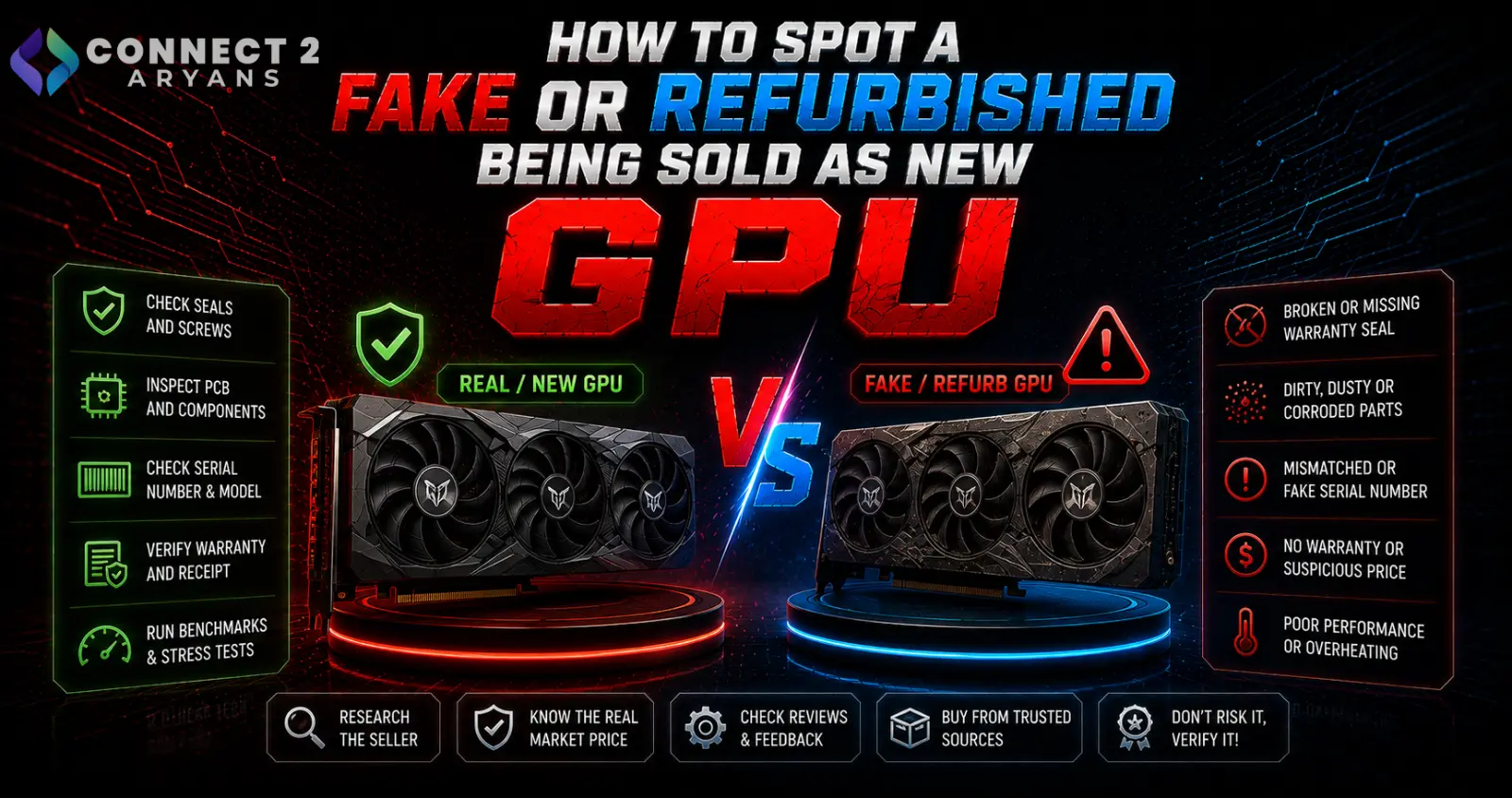
A graphics card is one of the most expensive components in a build, and unfortunately one of the more commonly misrepresented ones — used, refurbished, or even remarked cards sometimes get sold as "new," especially through unofficial or unfamiliar sellers. Here's how to protect yourself before you buy.
Warning Sign 1: A Price That's Noticeably Below Market
- If a "new" GPU is priced significantly below what every other reputable seller is charging for the same model, that's the single biggest red flag before anything else
- Legitimate sellers occasionally run genuine promotions, but a price gap far outside normal fluctuation usually means something is off — refurbished stock, gray-market import, or a scam entirely
- Compare pricing across multiple reputable sellers before treating an unusually low price as a genuine bargain rather than a warning sign
Warning Sign 2: Packaging Inconsistencies
- Genuine new GPUs come in manufacturer-sealed retail packaging with intact security seals, holograms, or tamper-evident stickers depending on the brand
- Watch for resealed boxes, missing accessories (cables, manuals, driver discs that should be included), or packaging that looks worn, dented, or previously opened
- Compare the packaging against official product images from the manufacturer's website if you're uncertain what genuine packaging should look like
Warning Sign 3: Serial Number and Warranty Verification
- Most GPU manufacturers offer online serial number verification tools that confirm a card's authenticity and warranty status
- Check the serial number on the card itself against the manufacturer's official verification system before or immediately after purchase
- If the warranty status shows as already registered, previously claimed, or doesn't match "new" status, this is a clear sign the card isn't what it's being sold as
Warning Sign 4: Physical Inspection Red Flags
If you can inspect the card before or immediately after purchase:
- Thermal paste residue or mounting marks around the GPU die area can indicate the cooler has been removed and reinstalled, which shouldn't happen on a genuinely new, unopened card
- Screw marks or scratches around cooler mounting screws suggest prior disassembly
- Dust in unusual places (inside fan blades, in heatsink fins) is inconsistent with a genuinely new, unused card
- Scratches or wear on the PCIe connector (the gold contacts that slot into the motherboard) indicate prior use, since a new card's contacts should look pristine
Warning Sign 5: BIOS and Driver Date Checks
- Software tools like GPU-Z can display the card's BIOS version and date, which can sometimes reveal inconsistencies with how "new" the card should be
- A significantly outdated BIOS version relative to when the model was actually released can be a signal worth investigating further, though this alone isn't always definitive
- Unusual or non-standard fan curve behavior, or performance that doesn't match published benchmarks for the specific model, can also indicate a card that's been modified, refurbished, or is a different underlying model than advertised
Warning Sign 6: Buy From Reputable, Authorized Sellers
- The most reliable protection isn't detective work after the fact — it's buying from established, reputable retailers with verifiable return policies and manufacturer warranty backing in the first place
- Be cautious of GPUs sold through informal marketplace listings, unfamiliar third-party sellers, or platforms with limited buyer protection, especially when the price seems unusually attractive
- Browse our Graphics Card range from NVIDIA, AMD and Intel for verified new stock with proper manufacturer warranty coverage — buying through an established retailer removes most of this risk entirely rather than requiring you to personally verify authenticity after the fact
Warning Sign 7: Performance Doesn't Match Expected Benchmarks
- After installation, run a benchmark and compare results against published, independent benchmarks for your specific GPU model
- Significantly lower-than-expected performance, unusual thermal behavior, or inconsistent results across multiple benchmark runs can indicate a card that's degraded, mislabeled, or not genuinely the model advertised
What to Do If You Suspect You've Been Sold a Fake or Refurbished Card
- Document everything — packaging, serial numbers, physical condition — with photos immediately upon receipt
- Contact the seller's return/refund process promptly, since many protections have time limits
- If purchased through a marketplace with buyer protection, file a dispute with the documented evidence
- Check the manufacturer's warranty verification tool and keep that result as supporting evidence
Common Mistakes to Avoid
- Treating an unusually low price as purely good luck rather than a warning sign worth investigating
- Skipping serial number verification because the packaging looked fine on the surface
- Buying from unfamiliar sellers without researching their reputation and return policy first
- Not checking benchmark performance against published results after installation
Final Thoughts
Most fake or refurbished-as-new GPU situations are avoidable by buying from reputable, established sellers in the first place — verification steps like serial number checks and physical inspection are useful safety nets, but they're a backup, not a substitute for buying somewhere trustworthy to begin with. If a deal looks unusually good, treat that as the first and most important warning sign.
Browse our full range of genuinely new Graphics Card options from NVIDIA, AMD and Intel on Connect2Aryans, backed by manufacturer warranty, with warranty support included.

