
Choosing the Right Monitor Arm
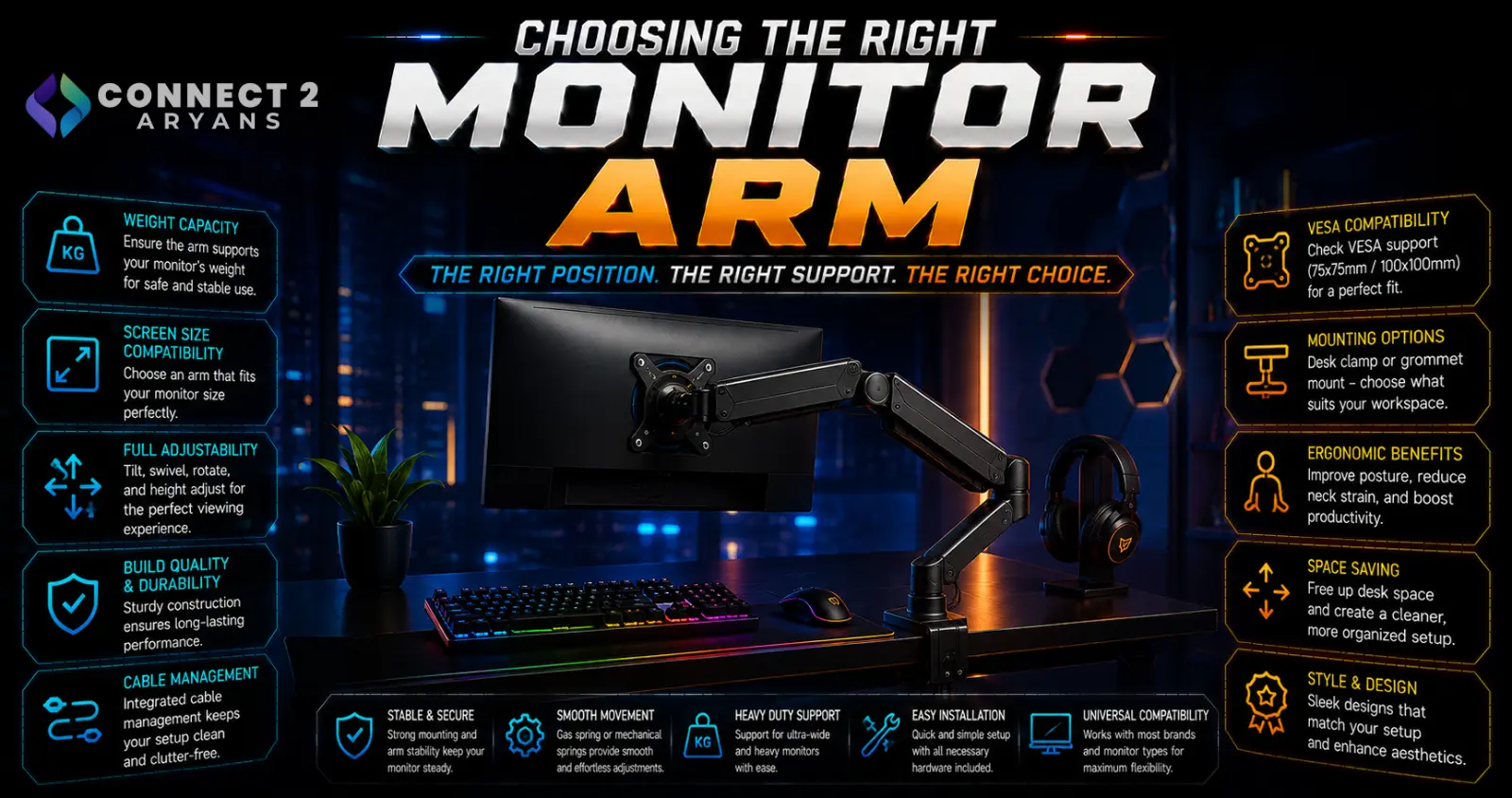
A monitor arm can genuinely transform a desk setup — freeing up space, improving ergonomics, and making it easy to adjust your monitor's position throughout the day. But it only works if it's actually compatible with your monitor's weight, your desk, and your mounting needs. Here's how to choose the right Monitor Arms for your setup.
Step 1: Check VESA Compatibility
- Nearly all monitor arms attach via a VESA mount pattern on the back of your monitor — common sizes are 75x75mm and 100x100mm
- Check your specific monitor's supported VESA pattern (usually listed in its specifications) before buying an arm, since not all arms support every VESA size out of the box
- Some monitors, especially ultra-thin or curved models, may need an adapter plate if their VESA pattern doesn't match standard arm mounts
Step 2: Confirm Weight Capacity
- Every monitor arm has a rated weight range it can properly support — check your monitor's actual weight against this range
- An arm rated below your monitor's weight may sag over time or fail to hold position properly
- Larger, heavier monitors (particularly 32"+ or curved/ultrawide models) need arms specifically rated for higher weight capacities, not standard single-monitor arms
Step 3: Choose Your Mounting Type
- Desk clamp mount — clamps onto the edge of your desk, no drilling required, the most common and flexible mounting method for most desk setups
- Grommet mount — passes through a hole in your desk (or an existing cable management grommet hole), offering a cleaner look but requiring a suitable hole in your desk surface
- Wall mount — fixed to a wall rather than the desk, useful for very heavy monitor setups or specific room layouts where desk mounting isn't practical
Check your desk's edge thickness against the clamp's compatible range before buying — very thick or very thin desk edges can sometimes fall outside a clamp's supported range.
Step 4: Single, Dual, or Multi-Monitor Arms
- Single-monitor arms — support one monitor, the simplest and most common setup
- Dual-monitor arms — support two monitors on a shared base, either as a single connected arm or two independent arms on one clamp
- Multi-monitor arms — support three or more monitors, common in productivity-heavy or trading-style setups
If you're running multiple monitors, check whether the arm allows independent adjustment of each screen, since some budget dual-arm setups move both monitors together rather than independently.
Step 5: Gas Spring vs Friction Arm
- Gas spring arms — use a gas cylinder for smooth, effortless height adjustment, generally easier to reposition frequently, and often better suited to heavier monitors
- Friction/tension arms — rely on adjustable tension screws rather than a gas spring, generally more budget-friendly, though can require occasional tension re-adjustment over time as it loosens
Gas spring arms are worth the extra cost if you plan to adjust your monitor's height and angle often throughout the day.
Step 6: Adjustability
- Height adjustment — raises/lowers the monitor to a comfortable eye-level position
- Tilt — angles the screen up or down
- Swivel — rotates the monitor left/right horizontally
- Rotate (pivot) — rotates the monitor into portrait orientation, useful for coding or document-heavy work
Check that the specific arm you're considering offers the adjustment types you actually need — some budget arms only offer height and tilt, without swivel or full rotation.
Step 7: Cable Management
Many monitor arms include built-in cable clips or channels along the arm to keep cables tidy as the monitor moves — a small feature that makes a noticeable difference in how clean your desk setup looks day to day.
Popular Monitor Arm Brands
Common Mistakes to Avoid
- Buying an arm without checking your monitor's actual VESA pattern compatibility
- Choosing an arm rated below your monitor's actual weight, leading to sagging or drift over time
- Assuming your desk's edge thickness fits a clamp mount without checking the compatible range first
- Buying a dual-monitor arm expecting independent adjustment, only to find both monitors move together
Final Thoughts
The right monitor arm comes down to confirming VESA compatibility, weight capacity, and desk mounting compatibility before anything else — these three checks determine whether an arm will even work with your setup. Once those are confirmed, choose adjustability and gas spring vs friction based on how often you reposition your monitor throughout the day.
Browse our full range of Monitor Arms from MXG, Thunder and Twisted Mind on Connect2Aryans, with warranty support included.

