
How to Choose a UPS for a Gaming PC in Pakistan: VA, Watts, Pure Sine Wave & Backup Time Explained
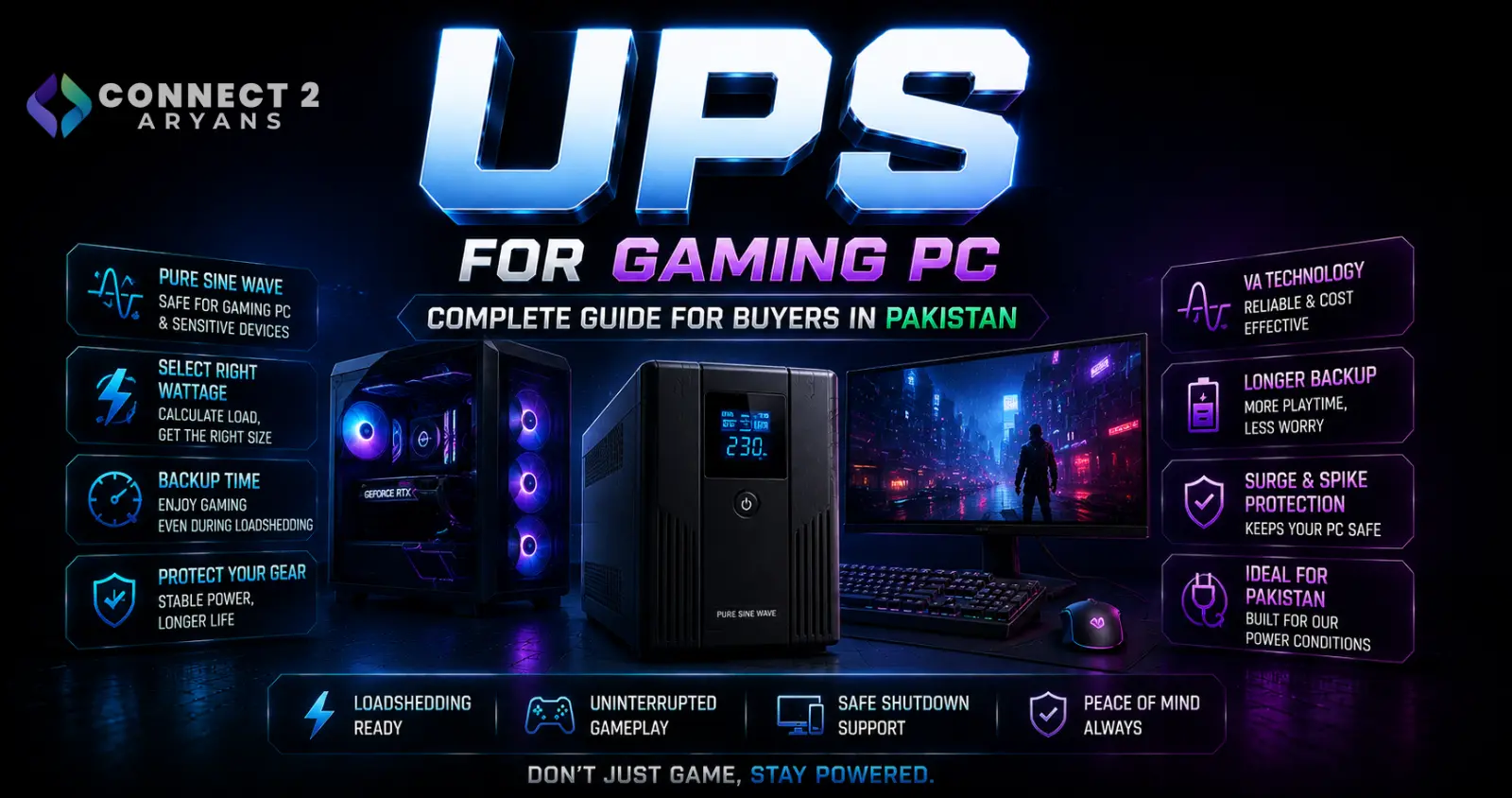
How to Choose a UPS for a Gaming PC in Pakistan: VA, Watts, Pure Sine Wave & Backup Time Explained
A gaming PC can contain an expensive graphics card, processor, motherboard, SSD and power supply, yet one component outside the computer is often overlooked:
the UPS.
For PC users in Pakistan, where sudden power interruptions and unstable mains voltage can be practical concerns, a UPS can provide enough battery backup to keep a computer running through a brief interruption or give you time to save your work and shut the machine down properly.
But choosing one is surprisingly confusing.
A UPS might say:
1000VA
1500VA
or
2000VA
while your PC power supply says:
650W
750W
or
850W.
Then you encounter terms such as:
pure sine wave
simulated sine wave
Active PFC
AVR
line-interactive
and
online UPS.
The biggest mistake is assuming that an 850W PC power supply automatically needs an 850W UPS.
That isn't how UPS sizing works.
The correct UPS depends on the actual electrical load connected to it, its rated watt capacity, the required runtime and the characteristics of the PC's power supply.
Let's break it down.
What Does a UPS Actually Do?
UPS stands for:
Uninterruptible Power Supply.
Its fundamental job is to keep connected equipment powered when normal AC power disappears.
When electricity fails, the UPS uses its battery and inverter to continue supplying power to connected equipment.
Depending on the UPS design, it may also provide protection or correction for conditions such as:
voltage sags,
overvoltage,
surges,
and other power disturbances.
For a gaming PC, the goal doesn't necessarily have to be running games for an hour during load shedding.
Often the useful goal is much simpler:
keep the PC alive long enough to save your work and shut down safely.
VA and Watts Are Not the Same Thing
This is the first specification you need to understand.
UPS manufacturers commonly advertise two power figures:
VA — Volt-Amperes
and
W — Watts.
They are related, but they are not interchangeable.
For example, one UPS could be rated:
1500VA / 900W
while another could be:
1500VA / 1000W.
Both are 1500VA units.
But the second one can support a larger real-power load.
Therefore, don't buy a UPS by looking at the VA number alone.
Check both:
VA rating
and
maximum watt rating.
For a gaming PC, the watt rating is especially important because your equipment's real power consumption must remain within the UPS's supported output.
Your 850W PSU Does Not Mean the PC Constantly Uses 850W
This is probably the most common UPS-sizing mistake.
Suppose your PC contains an:
850W power supply.
That 850W figure represents the PSU's rated DC output capability.
It does not mean the computer continuously consumes 850 watts from the wall.
Actual consumption depends on what the components are doing.
A PC sitting on the Windows desktop may consume dramatically less power than the same machine running a demanding game with both CPU and GPU under load.
So:
PSU rating ≠ actual PC power consumption.
This distinction matters when selecting a UPS.
Browse PC Power Supplies on Connect2Aryans
How Should You Calculate the UPS Load?
Start with everything you intend to connect to the battery-backed outlets.
For a gaming setup, that could include:
Gaming PC
Monitor
Router/ONT
and perhaps another essential low-power device.
You then need to estimate or measure the maximum realistic power draw of those devices together.
The best method is actual measurement with an appropriate power meter under the workloads you expect to use.
Component calculators can provide estimates, but wall-power measurement tells you what your complete system is actually drawing.
Don't Size the UPS Exactly at Your Current Load
Suppose your complete PC setup can reach a measured load of around:
600W.
Buying a UPS rated for exactly 600W leaves virtually no margin.
That is not a good design target.
Loads can change.
The CPU and GPU can experience transient changes.
You may add another device.
And UPS capability/runtime can be affected by battery condition and load.
Instead, select a UPS with appropriate headroom above your expected maximum load.
There is no single percentage that is correct for every system, so follow the UPS manufacturer's sizing guidance for the specific model.
Should the Monitor Be Connected to the UPS?
Usually, yes, if your goal is to continue using the PC long enough to save and shut down.
Keeping the PC running while the monitor immediately goes black isn't particularly useful.
However, the monitor adds to the UPS load.
Therefore your calculation should consider:
PC + monitor
rather than only the computer tower.
If you want the router to remain online as well, include that load too.
Don't Connect Everything on Your Desk to Battery Backup
A UPS has limited output capacity and battery energy.
You generally don't need to put every desk accessory on battery-backed outlets.
Prioritize devices required for safe operation and shutdown.
High-power nonessential equipment can dramatically reduce runtime or overload the UPS.
Follow the UPS manufacturer's instructions regarding which loads are appropriate to connect.
Why Active PFC Matters for Gaming PCs
Modern desktop power supplies commonly use:
Active Power Factor Correction, or Active PFC.
This is important when choosing the UPS waveform.
CyberPower's PFC Sinewave documentation specifically positions its pure-sine-wave UPS products for equipment using Active PFC power supplies.
That brings us to one of the most misunderstood UPS specifications:
pure sine wave vs simulated sine wave.
What Is a Pure Sine Wave UPS?
Normal utility AC power is supplied as a sinusoidal waveform.
A pure sine wave UPS is designed to produce a smooth sine-wave AC output when operating from its inverter/battery.
CyberPower describes its sine-wave models as suitable for sensitive electronics and equipment using Active PFC power supplies.
For a modern high-performance gaming PC, a pure sine wave UPS is therefore the safer compatibility-oriented choice when the PSU manufacturer or UPS vendor recommends it.
What Is a Simulated Sine Wave UPS?
Lower-cost UPS models may produce an approximation of a sine wave while operating from battery.
This may be described as:
simulated sine wave
stepped approximation
or
modified sine wave
depending on the design and manufacturer terminology.
Instead of a smooth sinusoidal waveform, the inverter approximates it using steps.
CyberPower notes that some Active PFC equipment can experience compatibility problems with simulated sine-wave UPS output.
That doesn't mean every Active PFC PSU will instantly fail on every simulated-sine-wave UPS.
It means you should not assume compatibility.
Check the PSU and UPS manufacturer's guidance.
Can an Active PFC PSU Work With a Simulated Sine Wave UPS?
Sometimes particular combinations may operate.
But that is not the same as guaranteed compatibility.
The problem may only appear when utility power disappears and the UPS switches to battery operation.
That creates a dangerous testing assumption:
“My PC works while plugged into the UPS, so everything must be compatible.”
During normal mains operation, the UPS may not be producing the same inverter waveform it uses on battery.
The important behavior is what happens during the actual transfer to battery.
For a valuable gaming PC using an Active PFC PSU, selecting a UPS explicitly designed for Active PFC compatibility avoids unnecessary uncertainty.
How Can You Check Whether Your PSU Uses Active PFC?
Look at the official specifications for the exact PSU model.
Many modern gaming PSUs list:
Active PFC
or equivalent power-factor-correction information.
Do not assume based only on:
brand,
wattage,
or 80 PLUS efficiency rating.
Those are separate specifications.
Check the manufacturer's documentation.
Connect2Aryans currently lists a large range of gaming power supplies, including models where Active PFC is explicitly identified in the product information.
Compare Power Supplies on Connect2Aryans
Pure Sine Wave Does Not Mean More FPS
A UPS does not make the GPU render faster.
Switching from a simulated sine wave UPS to a pure sine wave UPS will not turn:
100 FPS into 120 FPS.
The purpose is power compatibility and protection—not gaming acceleration.
Your actual gaming performance continues to depend on:
CPU,
GPU,
RAM,
game settings,
resolution,
and cooling.
What Is AVR on a UPS?
AVR means:
Automatic Voltage Regulation.
This is particularly useful where incoming mains voltage can fluctuate.
A line-interactive UPS with AVR can correct certain voltage variations without immediately switching to battery.
CyberPower describes AVR as correcting minor power fluctuations while the UPS remains on utility power, which can reduce unnecessary battery use.
This can be useful because batteries have a finite service life.
You generally don't want the UPS switching to battery every time the incoming voltage moves slightly outside its ideal level if the AVR system can correct it within the UPS's supported range.
What Is a Line-Interactive UPS?
Line-interactive UPS systems are common for:
desktop computers,
gaming PCs,
workstations,
and home electronics.
They normally power the connected equipment from utility power while using voltage-regulation circuitry to handle certain fluctuations.
When the mains supply fails or moves outside supported limits, the UPS switches to battery/inverter operation.
CyberPower's PFC Sinewave desktop UPS family, for example, uses a line-interactive topology combined with AVR and pure sine-wave battery output.
For many home PC setups, this topology offers a practical balance between protection, efficiency and cost.
What Is an Online UPS?
An online UPS—often called a double-conversion UPS—uses a different architecture.
Schneider Electric's APC Easy UPS documentation describes true double conversion as providing tight voltage/frequency regulation and zero transfer time for the connected load.
These systems are commonly used where power quality and continuity requirements are particularly demanding.
They can be appropriate for:
servers,
professional equipment,
critical workstations,
and unstable electrical environments.
But they can also cost considerably more than typical consumer line-interactive units.
A gaming PC does not automatically require an online UPS simply because it is expensive.
What Is Transfer Time?
A line-interactive or standby UPS must detect a power problem and transfer the connected equipment to battery/inverter power.
That process takes some amount of time.
The PC power supply needs to continue operating through that transition.
UPS and PSU designs differ, so compatibility matters.
Online double-conversion systems avoid the conventional transfer interruption because the load is continuously supplied through the conversion architecture. APC describes this as zero transfer time in its online UPS documentation.
For normal gaming systems, however, a properly selected compatible line-interactive UPS can be entirely appropriate.
UPS Capacity and Runtime Are Different Things
A UPS being able to support your PC's wattage does not tell you how long it will run.
These are separate questions:
Can the UPS support the load?
and
How long can its battery support that load?
Runtime depends on factors such as:
battery capacity,
connected load,
UPS efficiency,
battery age,
and battery condition.
A higher load normally means shorter battery runtime.
Gaming While on UPS Battery Can Drain It Quickly
A gaming PC can consume much more power while gaming than while sitting at the desktop.
If electricity fails during a demanding game, the CPU and GPU may still be drawing substantial power.
That can reduce UPS runtime dramatically.
If the purpose of your UPS is safe shutdown rather than extended gaming during an outage, stop the game and shut down appropriately once the power failure is confirmed.
The UPS should be treated as a bridge—not necessarily as a replacement for mains electricity.
A 1500VA UPS Does Not Have a Fixed Runtime
You may see questions such as:
“How many minutes will a 1500VA UPS run my gaming PC?”
There is no universal answer.
Two 1500VA UPS models can have:
different watt ratings,
different batteries,
different efficiency,
and completely different runtime curves.
Likewise, the same UPS might run a lightly loaded PC much longer than a high-end gaming system under GPU load.
Always check the manufacturer's runtime data for the specific UPS and load.
Battery Condition Changes Runtime
UPS batteries are consumable components.
Their performance declines with age and usage.
A UPS that originally provided enough shutdown time may provide significantly less after years of service.
Many UPS systems perform battery tests or provide battery-replacement warnings.
Do not ignore them.
If a UPS switches off almost immediately during an outage despite being correctly sized, the battery may need inspection or replacement.
Should You Connect the Gaming PC Through a Surge Protector Before the UPS?
Do not build arbitrary chains of:
wall → surge protector → extension → UPS → another extension
without checking the UPS manufacturer's instructions.
Power-protection devices are designed around specific installation requirements.
Connect the UPS according to its manual.
If you need additional outlets or unusual installation arrangements, use only configurations approved by the manufacturer.
UPS vs Surge Protector: They Are Not the Same
A surge protector and UPS serve different primary purposes.
A surge protector does not normally keep your PC running during a blackout.
A UPS contains battery backup capability.
Many UPS units also include surge protection and power conditioning features.
APC's Easy UPS documentation, for example, lists protection from disturbances such as surges and spikes alongside its battery-backed power functionality.
So don't buy a simple surge strip expecting it to behave like a UPS during load shedding.
UPS vs Inverter: Which Is Better for a Gaming PC?
This depends on the goal.
A dedicated computer UPS is typically designed around:
fast backup transition,
computer loads,
short-to-moderate backup,
and power protection.
A larger inverter/battery system may be designed to keep multiple household devices operating for much longer periods.
If you need only enough time to safely shut down a PC, a correctly sized computer UPS can be convenient.
If you need to keep a gaming PC running for hours during extended load shedding, the required battery capacity becomes a much larger system-design question.
In that case, consult a qualified electrical professional and the hardware manufacturers rather than simply buying the biggest VA number available.
Don't Size the UPS Using GPU TDP Alone
The graphics card can be one of the largest power consumers in a gaming PC, but it is not the only load.
You must also account for:
CPU,
motherboard,
RAM,
storage,
fans,
cooling,
USB devices,
PSU conversion losses,
monitor,
and anything else connected to battery backup.
A GPU's published power specification is therefore not the same as the complete UPS load.
Don't Size It Using the PSU Rating Alone Either
The opposite mistake is equally common.
Suppose you have:
1000W PSU + RTX-class GPU + gaming monitor.
That does not automatically mean your setup continuously consumes over 1000W.
The PSU is a capacity rating.
Measure or realistically estimate the system's actual maximum wall draw.
Then select the UPS accordingly.
Your Monitor Can Matter More Than You Think
Large, high-brightness displays can add meaningful load to a UPS.
If you're using:
a large gaming monitor,
OLED display,
multiple monitors,
or a television,
include their actual power requirements in your calculation.
If you only need one screen to save and shut down, you may choose to place only the primary monitor on battery backup.
Should the Router Be Connected Too?
For online gaming or remote work, keeping the router powered can be useful.
But remember:
your home router remaining powered does not guarantee the ISP network outside your home remains operational during an outage.
Still, router and networking equipment generally consume much less power than a gaming PC, so some users include them in the UPS load where appropriate.
Count their power requirements when sizing.
Don't Put a Laser Printer on a Small PC UPS
Laser printers can have large short-duration power demands, particularly during printing/heating cycles.
Unless the UPS manufacturer explicitly supports that type of load, avoid placing high-draw office equipment on the same battery-backed outlets intended for the gaming PC.
The same caution applies to other unsuitable high-power devices.
Follow the UPS manufacturer's load recommendations.
Why a UPS May Beep During Gaming
If your UPS begins giving overload warnings only when launching a demanding game, that is a major clue.
The PC's load increases when:
GPU utilization rises,
CPU utilization increases,
fans accelerate,
and components boost to higher performance states.
A UPS that seems fine at the Windows desktop may therefore become overloaded during gaming.
That is exactly why UPS sizing should consider maximum realistic load, not idle consumption.
Why the PC May Restart When Electricity Goes Out
If the computer restarts or shuts off the moment utility power fails even though the UPS battery is working, investigate:
UPS overload
battery condition
transfer behavior
PSU compatibility
output waveform
and
connected load.
Do not assume that because the UPS lights remain on, it is necessarily delivering a suitable output to the PC.
For an Active PFC gaming PSU, waveform compatibility deserves particular attention.
How Much UPS Headroom Should You Buy?
Avoid choosing a UPS whose watt limit sits right at the measured maximum load.
You want reasonable operating margin.
But don't blindly double or triple the UPS size either.
Larger units cost more and may use larger batteries.
The best approach is:
measure/estimate the maximum load → add appropriate margin → compare manufacturer sizing and runtime information.
The manufacturer may also provide a UPS selector or runtime chart.
Example: How to Think About UPS Sizing
Suppose a gaming setup is measured at the wall and reaches approximately:
PC: 500W
Monitor: 50W
Networking: 15W
Total measured load:
565W.
You should not then purchase a UPS whose maximum output is exactly 565W.
You would look for a UPS whose watt rating comfortably exceeds the expected load and whose runtime curve provides enough battery time for your intended use.
Notice that we are not deciding based only on whether the UPS says:
1000VA
or
1500VA.
We are checking the actual watt capability.
1000VA vs 1500VA: Which Is Better?
Neither number is automatically better for your PC.
You might compare two products:
UPS A: 1000VA / 600W
UPS B: 1500VA / 900W
For a 700W measured load, UPS A would be insufficient despite sounding like a large “1000VA” device.
UPS B could have enough rated output, subject to the manufacturer's specifications and required headroom/runtime.
This illustrates why:
VA alone is not a buying decision.
What About an 850W Gaming PSU?
Again, don't size the UPS from the PSU label.
An 850W PSU may power a system that draws:
300W,
500W,
700W,
or another amount depending on the hardware and workload.
Instead, determine the complete system's expected wall draw.
Then include the monitor and other battery-backed devices.
What PC Builders in Pakistan Should Prioritize
For a gaming PC in Pakistan, the UPS buying order should be:
1. Sufficient watt capacity
2. Appropriate waveform for the PSU
3. Enough runtime for your goal
4. Suitable topology
5. AVR where appropriate
6. Replacement battery availability
7. Warranty and service support
A large VA number printed on the box should not be the first criterion.
Replacement Battery Availability Matters
A UPS can last longer than its original battery.
Eventually, the battery may need replacement.
Before purchasing an expensive UPS, check whether compatible replacement batteries and service support are reasonably available.
A technically excellent UPS becomes less useful if replacing its battery several years later is extremely difficult.
For buyers in Pakistan, this can be an important long-term ownership consideration.
Should You Buy the Cheapest UPS That Can Handle the Wattage?
Not necessarily.
Two UPS units with similar VA and watt ratings can differ in:
waveform,
topology,
AVR implementation,
battery capacity,
runtime,
transfer characteristics,
monitoring features,
warranty,
and replacement-battery support.
For a valuable gaming system, compatibility and reliability are more important than simply finding the lowest price.
UPS Monitoring Software Can Be Useful
Some UPS models provide USB communication with the computer.
CyberPower, for example, provides PowerPanel monitoring capabilities on supported UPS systems.
Depending on the model/software, monitoring can provide information such as:
UPS status,
battery condition,
load,
and power events.
Some systems can also support automated shutdown behavior.
Check the exact model's features rather than assuming every UPS includes software connectivity.
UPS Buying Checklist for a Gaming PC
Before ordering a UPS, verify:
Maximum output watts
Not just VA.
VA capacity
Check both specifications together.
Output waveform
For Active PFC gaming PSUs, verify manufacturer compatibility; pure sine wave is the compatibility-focused choice.
UPS topology
Standby, line-interactive or online/double conversion.
AVR
Useful for supported voltage fluctuations without unnecessary battery operation.
Runtime
Check the manufacturer's runtime curve at a load close to yours.
Battery
Check type, replacement availability and serviceability.
Transfer characteristics
Make sure the UPS is intended for computer equipment like yours.
Outlets
Check how many are battery-backed versus surge-only.
Monitoring
USB/software monitoring may be valuable.
Warranty and local service
Particularly important for batteries and long-term ownership.
UPS vs PSU: Don't Confuse Them
A PSU is installed inside your desktop PC.
It converts AC wall power into the DC voltages required by PC components.
A UPS sits outside the PC.
It provides backup AC power and, depending on design, additional power-conditioning/protection features.
You need a suitable PSU even if you own an excellent UPS.
A UPS does not replace the PC power supply.
Browse Power Supplies on Connect2Aryans
Does a Better PSU Reduce the UPS Size You Need?
Not necessarily in a simple one-to-one way.
PSU efficiency affects how much power must be drawn from the wall to deliver a given DC load to the components.
But you should still size the UPS based on realistic wall consumption of the complete system.
Don't try to calculate the entire UPS requirement from an efficiency badge alone.
Measure when possible.
What About ATX 3.1 Gaming Power Supplies?
Newer high-performance PC power supplies may follow modern ATX specifications designed around current hardware requirements.
That doesn't remove the need to check UPS compatibility.
Whether your PSU is an older design or a modern ATX 3.1 unit, verify:
Active PFC
input requirements
and
UPS manufacturer's compatibility recommendations.
Connect2Aryans' current PSU category includes numerous modern ATX 3.1 power supplies for high-performance PCs.
Frequently Asked Questions
How many VA do I need for a gaming PC?
There is no universal VA figure. Determine the maximum realistic load of the PC, monitor and other battery-backed devices, then choose a UPS whose watt and VA ratings can support that load with suitable margin and runtime.
Is a 1000VA UPS enough for a gaming PC?
It depends on the UPS's watt rating and the PC's actual power consumption. A 1000VA label alone is insufficient information.
Is a 1500VA UPS enough for an 850W PSU?
You cannot determine this from those two numbers. Check the 1500VA UPS's actual watt capacity and measure or estimate the complete system's wall consumption. An 850W PSU does not constantly consume 850W.
Do gaming PCs need pure sine wave UPS systems?
Many modern gaming PSUs use Active PFC. CyberPower specifically recommends its pure-sine-wave PFC UPS designs for Active PFC equipment and notes potential compatibility concerns with simulated sine-wave output. Check the exact PSU and UPS manufacturers' guidance.
What is AVR in a UPS?
Automatic Voltage Regulation allows supported UPS designs to correct certain incoming voltage fluctuations without immediately switching to battery.
Will a UPS let me keep gaming during load shedding?
Potentially for some period if the UPS and battery system are designed for the load, but high gaming power consumption can greatly reduce runtime. Many PC users instead use the UPS to save work and shut down safely.
Does a UPS protect against voltage fluctuation?
Capabilities depend on the UPS. Line-interactive models with AVR can regulate certain voltage variations, while different UPS topologies provide different levels of power conditioning. Check the exact model.
Can I connect my monitor to the UPS?
Yes, where permitted by the UPS manufacturer, and doing so can be useful for safe shutdown. Remember to include the monitor's consumption in the total load.
Why does my PC turn off when the UPS switches to battery?
Possible causes include overload, weak battery, transfer issues or waveform/PSU compatibility. Check the UPS load and specifications and the PSU manufacturer's requirements.
Is an online UPS better for gaming?
Online double-conversion UPS systems provide continuous conditioned power and can offer zero transfer time, but they are not automatically necessary for every gaming PC. A correctly selected line-interactive UPS can be suitable for many home systems.
Conclusion
Choosing a UPS for a gaming PC is not about finding the biggest VA number you can afford.
The correct choice starts with understanding your actual load.
An:
850W PSU
does not mean:
850W constant consumption.
And a:
1500VA UPS
does not automatically mean:
1500W output.
Check the UPS's watt rating, determine the realistic wall consumption of your PC and monitor, leave appropriate capacity margin, and then consider how much battery runtime you actually need.
For modern gaming PCs, waveform compatibility is also important.
Many current power supplies use Active PFC, and manufacturers such as CyberPower specifically offer pure-sine-wave UPS products designed for these loads.
AVR can help deal with supported voltage fluctuations without constantly using the battery, while line-interactive systems provide a practical solution for many home PCs. Online double-conversion UPS systems provide another level of power conditioning for applications that genuinely require it.
For PC users in Pakistan, there is one more practical consideration:
battery and service availability.
A UPS is not a one-time sealed accessory. Its battery ages and may eventually need replacement.
So the best UPS is not simply the one with the largest number on the box.
It is the one that:
supports your actual load,
works correctly with your PSU,
provides the runtime you need,
and
can be maintained over the years you plan to use it.
Browse Power Supplies on Connect2Aryans
Browse Gaming & Streaming PCs on Connect2Aryans
Browse Pre-Built PCs on Connect2Aryans

