
Choosing the Right Smart LED TV
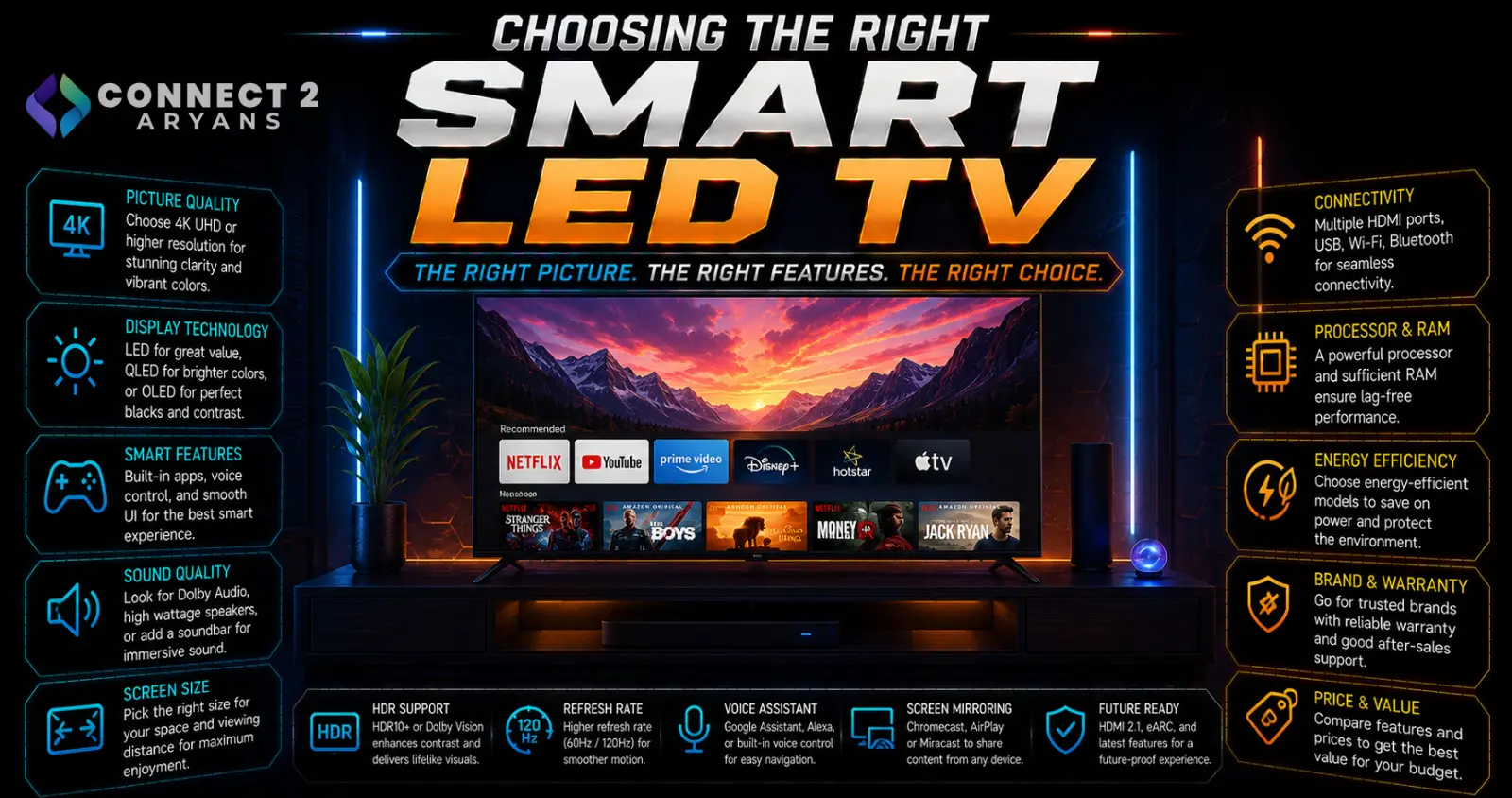
TVs get compared on spec sheets full of numbers, but screen size relative to your room and panel type make a bigger practical difference to how good the picture actually looks than most of the marketing terms printed on the box. Here's how to choose the right Smart LED TV for your space.
Step 1: Match Screen Size to Viewing Distance
- As a general guideline, sit roughly 1.5 to 2.5 times the screen's diagonal size away from it for a comfortable, immersive viewing experience without straining to see detail or feeling overwhelmed
- A larger TV in a small room can feel oversized and uncomfortable to watch up close; a smaller TV in a large room can feel underwhelming
- Measure your actual room and seating distance before choosing size, rather than simply buying the largest TV your budget allows
Step 2: Choose Your Panel Type
- LED (standard) — the most common and affordable option, solid picture quality for general use
- QLED — uses quantum dot technology to boost brightness and color volume over standard LED, a strong mid-to-upper tier choice
- Mini-LED — improves local dimming precision over standard LED/QLED backlighting, offering better contrast and reduced blooming around bright objects
- OLED — each pixel produces its own light, enabling true blacks and exceptional contrast, generally the best picture quality available, at a premium price point
Recommendation: QLED or Mini-LED offers strong value for most buyers. OLED is worth the premium specifically if you prioritize movie-quality contrast and don't need extreme peak brightness for very bright rooms.
Step 3: Resolution
- 4K — the current standard for most TVs, offering excellent detail for typical viewing distances and screen sizes
- 8K — available on some premium models, though genuinely beneficial content and typical viewing distances make the real-world difference from 4K minimal for most buyers right now
For the vast majority of buyers, 4K remains the practical, well-supported choice.
Step 4: Refresh Rate
- 60 Hz — fine for general TV viewing, movies, and most everyday content
- 120 Hz — noticeably smoother motion, particularly beneficial for sports, fast-action content, and gaming
If you plan to connect a current-gen gaming console or gaming PC, a 120Hz-capable TV with the right HDMI support makes a genuine difference for smoother, more responsive gameplay.
Step 5: HDR Format Support
- HDR10 — the most widely supported HDR format across streaming services and content
- Dolby Vision — offers dynamic, scene-by-scene HDR metadata for potentially better results, supported by many (but not all) streaming platforms and content
- Check which HDR formats your most-used streaming services and content actually support, rather than assuming broader format support automatically means a better experience for your specific viewing habits
Step 6: Smart Platform
- Android TV/Google TV, webOS (LG), Tizen (Samsung) — the major smart TV platforms, each offering broadly similar core streaming app support with different interfaces and ecosystem integrations
- If you're already invested in a specific ecosystem (Google, Apple, etc.), checking how well a TV's platform integrates with your existing devices and services can matter more than raw platform features
Step 7: Connectivity for Gaming and Sound
- HDMI 2.1 — important if you're connecting a current-gen gaming console or PC, enabling 4K at 120Hz and features like variable refresh rate
- HDMI ARC/eARC — allows audio to pass back through a single HDMI cable to a soundbar or receiver, simplifying your audio setup
- If you plan to pair the TV with external speakers or a soundbar, confirm ARC/eARC support rather than relying on the TV's built-in speakers for serious audio quality
Popular Smart LED TV Brands
- Samsung
- LG
- Sony
- Philips
Common Mistakes to Avoid
- Buying a TV too large or too small for your actual room and seating distance
- Chasing 8K resolution where the real-world benefit over 4K is minimal for typical viewing setups
- Assuming all HDR formats matter equally without checking what your most-used streaming services actually support
- Overlooking HDMI 2.1 support when planning to connect a current-gen gaming console or PC
Final Thoughts
The right Smart LED TV comes down to matching screen size to your actual room, choosing a panel type that fits your contrast and brightness priorities, and confirming refresh rate and HDMI support align with how you'll actually use it — especially for gaming. Don't let spec-sheet numbers like 8K resolution distract from these more practically impactful choices.
Browse our full range of Smart LED TV options from Samsung, LG, Sony and Philips on Connect2Aryans, with warranty support included.

