
Choosing the Right Projector
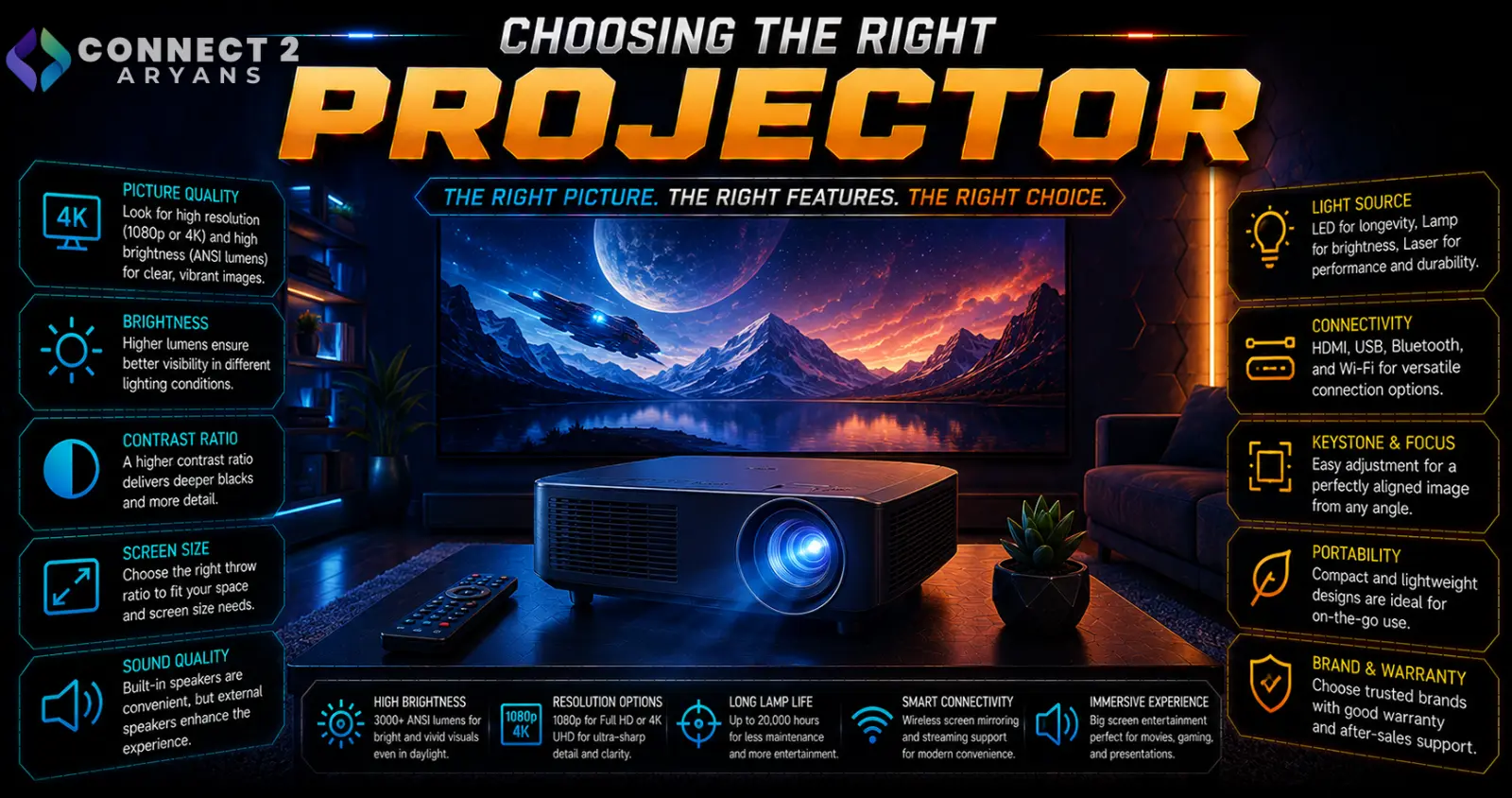
A projector lives or dies by how well it's matched to its room — brightness and throw distance matter far more day to day than resolution, which is where most buyers focus first. Here's how to choose the right Projectors for your actual space and use case.
Step 1: Brightness (Lumens) — Match It to Your Room
- Under 1500 ANSI lumens — only workable in a fully dark room, common in budget portable projectors
- 1500–2500 ANSI lumens — suitable for dim rooms with some ambient light control, a common range for home theater use
- 2500–4000 ANSI lumens — better suited to rooms with moderate ambient light, including many living rooms during the day
- 4000+ ANSI lumens — needed for well-lit rooms or business/presentation settings where you can't fully control lighting
Rule of thumb: be honest about your room's actual lighting conditions — a projector rated for a dark home theater will look washed out and disappointing in a bright living room.
Step 2: Throw Distance
- Standard throw — needs a moderate distance between the projector and screen/wall, common and flexible for most room layouts
- Short throw — projects a large image from a much closer distance, useful for smaller rooms where a standard throw projector can't be positioned far enough back
- Ultra-short throw — can sit just inches from the wall or screen while still producing a large image, ideal for very tight spaces or wall-mounted setups where cable/placement flexibility matters
Check your room's actual available distance from the projection surface before choosing — this determines which throw type will even work in your space, regardless of other specs.
Step 3: Resolution
- 1080p — still a solid, cost-effective choice for most home and business use, sharp enough for typical viewing distances
- 4K — offers noticeably more detail, especially on larger screens or shorter viewing distances, worth prioritizing for a dedicated home theater setup
- For business presentations and general use, 1080p is usually more than sufficient — 4K matters most for dedicated entertainment setups
Step 4: Contrast Ratio
- Higher contrast ratios produce deeper blacks and a more dynamic image, particularly noticeable in darker movie scenes
- This spec varies significantly in how manufacturers measure and report it, so real-world reviews are more reliable than the advertised number alone
- Contrast matters more for home theater/movie use than for business presentations, where flat, well-lit slides don't rely heavily on deep blacks
Step 5: Projector Technology (DLP, LCD, LCoS, Laser)
- DLP — generally compact, good contrast, common in portable and budget-to-mid-range projectors
- LCD — often offers strong color accuracy and brightness for the price, common in home and business projectors
- LCoS — typically higher-end, offering excellent image quality and smooth detail, at a higher price point
- Laser light source — increasingly common, offering longer lifespan and more consistent brightness over time compared to traditional lamp-based projectors, which lose brightness and need bulb replacement over their lifespan
Step 6: Connectivity
- HDMI — standard for most video sources; check for HDMI 2.1 support if you want 4K at higher refresh rates for gaming
- Wireless casting — convenient for streaming from a phone or laptop without a cable, worth checking for compatibility with your specific devices
- If gaming on a projector, check input lag specifications specifically — some projectors add noticeable lag that isn't as much of a concern for movies or presentations
Step 7: Match to Your Primary Use Case
- Home theater: Prioritize brightness suited to your room's actual lighting, resolution (4K if budget allows), and contrast ratio
- Gaming: Check input lag specifically, alongside resolution and refresh rate support
- Business/presentations: Prioritize higher lumens for typically brighter meeting rooms, and portability if moving between locations
- Portable/casual use: Prioritize compact size and battery-powered options over maximum brightness or resolution
Popular Projector Brands
Common Mistakes to Avoid
- Buying a projector rated for dark rooms and using it in a bright living room, resulting in a washed-out image
- Not checking throw distance requirements against your actual room layout before buying
- Chasing 4K resolution for a business presentation setting where it adds little practical benefit
- Ignoring input lag specs when buying a projector specifically for gaming
Final Thoughts
The right projector comes down to matching brightness to your room's real lighting conditions and throw distance to your actual available space — resolution and contrast matter, but they're secondary to getting those two fundamentals right. A projector that's technically impressive on paper but mismatched to your room will disappoint regardless of its spec sheet.
Browse our full range of [[C: Projectors]] from Asus, Logitech Viewsonic and LG on Connect2Aryans, with warranty support included.

