
ATX 3.1 Power Supplies Explained: Do You Need a New PSU for RTX 50 Series and Modern Gaming PCs?
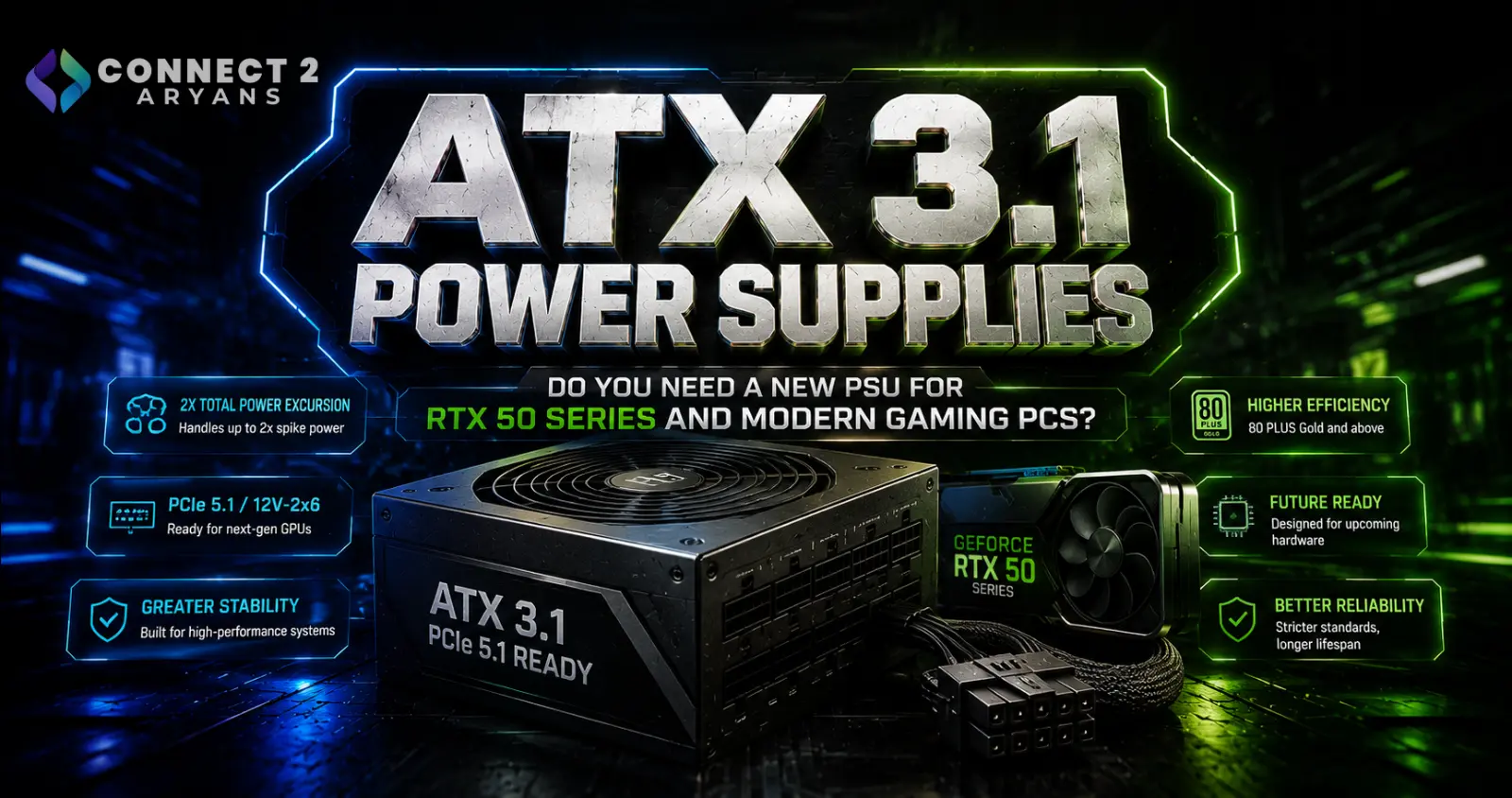
ATX 3.1 Power Supplies Explained: Do You Need a New PSU for RTX 50 Series and Modern Gaming PCs?
The power supply is one of the least exciting components to upgrade in a gaming PC.
It doesn't increase FPS.
It doesn't make Windows load faster.
And unlike an RGB graphics card or liquid cooler, most of it remains hidden inside the case.
But the PSU is responsible for delivering power to every major component in the system, including the processor, graphics card, motherboard, storage and cooling hardware.
That makes choosing the correct PSU particularly important as modern gaming PCs adopt newer graphics cards and power standards.
One specification now appearing increasingly often is:
ATX 3.1
You'll also see related terms including:
PCIe 5.1
and
12V-2x6
on newer power supplies.
Intel's current desktop power-supply design documentation aligns with ATX Specification Version 3.1, covering the electrical and mechanical requirements used for modern desktop PSU designs.
Meanwhile, Connect2Aryans' current power-supply catalogue already includes ATX 3.1 models ranging from mainstream 550W units through 750W and 850W gaming PSUs to 1000W, 1200W and even higher-capacity enthusiast models.
So what does ATX 3.1 actually change?
And more importantly:
Do you need an ATX 3.1 PSU for your next gaming PC?
What Is ATX 3.1?
ATX is a collection of PC design standards covering areas including motherboard and power-supply specifications.
For power supplies, Intel publishes the ATX Version 3 Multi Rail Desktop Platform Power Supply Design Guide.
The current documentation states that it aligns with ATX Specification Version 3.1.
ATX 3.1 therefore isn't a PSU brand or efficiency rating.
It is a design standard.
A manufacturer can build a power supply according to the ATX 3.1 requirements while separately choosing:
- Wattage
- Efficiency level
- Cable design
- Cooling
- Components
- Protection features
- Modular or non-modular construction
That's why two ATX 3.1 power supplies can be very different products.
ATX 3.1 Is Not the Same as 80 PLUS Gold
This is one of the easiest specifications to misunderstand.
You might see a PSU described as:
850W 80 PLUS Gold ATX 3.1
Those terms describe different characteristics.
850W
This describes the PSU's rated output capacity.
80 PLUS Gold
This relates to energy-efficiency certification.
ATX 3.1
This relates to the power-supply design standard.
A PSU can therefore be ATX 3.1 while carrying a Bronze efficiency certification.
Another ATX 3.1 model might be Gold.
Another could be Platinum.
These specifications should not be treated as interchangeable.
Why Did Modern Power Supplies Need a New Standard?
PC hardware has changed considerably.
High-performance graphics cards can create demanding power conditions, and modern systems need power supplies designed around current platform behavior.
Intel's ATX design documentation includes dedicated PCI Express add-in card considerations alongside requirements for DC output, protection, timing and other electrical characteristics.
This matters because a graphics card's power consumption isn't always perfectly constant.
A GPU can move rapidly between lighter and heavier workloads.
The PSU has to remain stable while those changes occur.
Modern ATX standards are therefore about much more than simply increasing the wattage number printed on the side of the unit.
What Is PCIe 5.1 on a Power Supply?
You'll increasingly see modern PSUs advertised as:
ATX 3.1 / PCIe 5.1 Ready
The current Connect2Aryans catalogue includes several examples, including the ASUS TUF Gaming 850G, 1000G and 1200G, ASUS ROG Thor Platinum III models, SilverStone units and other modern gaming PSUs.
PCIe-related PSU support is particularly relevant to modern graphics-card power delivery.
However, don't confuse:
PCIe 5.1 PSU support
with
the PCIe generation of the motherboard's graphics-card slot.
They are related to the PCI Express ecosystem but describe different parts of the PC.
Your graphics card communicates with the motherboard through its PCIe slot while receiving additional electrical power through PSU cables.
What Is the 12V-2x6 Connector?
Modern high-power graphics cards may use a compact 16-pin power connection.
The newer implementation is commonly known as:
12V-2x6
It succeeds the earlier 12VHPWR implementation used during the initial transition toward compact high-power GPU connectors.
For a PC builder, the important point is simple:
A modern PSU with an appropriate native GPU power cable can provide a cleaner connection than relying on multiple legacy PCIe power leads feeding an adapter.
But connector compatibility must always be checked against the exact graphics card.
Never assume that every RTX card uses the same power connector.
12V-2x6 and 12VHPWR Are Not Names You Should Ignore
The connector is one of the most important reasons newer PSUs attract interest from owners of high-end GPUs.
Traditional graphics cards commonly used combinations of:
6-pin PCIe
and
8-pin PCIe
power connectors.
As GPU power requirements increased, some cards required two, three or even more conventional connectors.
The newer compact connector allows considerably more power to be supplied through a single GPU connection when properly implemented.
That can simplify cable management considerably.
But it also makes correct installation extremely important.
Always Fully Insert the GPU Power Connector
Regardless of whether you're using a native PSU cable or an approved adapter, the connector needs to be installed correctly.
Do not leave it partially seated.
When installing a graphics card:
- Align the connector correctly.
- Push it in completely.
- Confirm there is no visible partial separation.
- Route the cable without putting excessive sideways force on the connector.
- Avoid extremely tight bends immediately next to the plug.
The graphics card and PSU manufacturer's installation instructions should take priority over generic internet advice.
Never Mix Modular PSU Cables
This deserves its own section because the mistake can destroy hardware.
Modular PSU cables are not universally interchangeable.
Two power supplies can use connectors that physically appear identical on the PSU side while having different electrical pinouts.
That means:
Cable from PSU A + PSU B = potentially dangerous
even if both cables fit.
If you replace a modular PSU, replace its modular cables as well unless the manufacturer explicitly confirms compatibility.
Do not reuse old modular cables simply because cable management would be easier.
What Does “Fully Modular” Mean?
Power supplies are commonly divided into three cable configurations.
Non-Modular PSU
All cables are permanently attached.
Advantages include simplicity and often lower cost.
The disadvantage is that unused cables remain inside the case.
Semi-Modular PSU
Essential cables are permanently attached while some peripheral cables can be removed.
Fully Modular PSU
The PSU-side cables can be disconnected.
This can make installation and cable management significantly easier.
Connect2Aryans' live PSU category includes both non-modular mainstream models and fully modular enthusiast units.
Browse Power Supplies on Connect2Aryans
Modular Does Not Mean Better Electrical Quality
A fully modular PSU isn't automatically a higher-quality power supply.
Modularity describes the cable system.
Electrical quality depends on the PSU's actual design and components.
When comparing power supplies, consider:
- Platform quality
- Voltage regulation
- Protection circuits
- Efficiency
- Cooling
- Warranty
- Manufacturer specifications
- Independent technical testing
A poorly designed modular PSU doesn't become good simply because its cables disconnect.
What Does 80 PLUS Mean?
80 PLUS is an efficiency certification system.
A more efficient power supply wastes less incoming electrical energy as heat under the certification's tested conditions.
Common ratings include:
80 PLUS Bronze
80 PLUS Silver
80 PLUS Gold
80 PLUS Platinum
and higher tiers.
Connect2Aryans' current PSU catalogue includes Bronze, Gold and Platinum models across different wattages.
Efficiency matters, particularly in PCs that operate for many hours.
But once again:
Efficiency certification alone does not measure overall PSU quality.
Gold Does Not Automatically Mean Better Than Every Bronze PSU
This is another common mistake.
Suppose you have:
PSU A – 80 PLUS Bronze
and
PSU B – 80 PLUS Gold
You can reasonably conclude that the certification indicates different efficiency tiers.
You cannot conclude from that fact alone that PSU B has:
- Better protections
- Better capacitors
- Better voltage regulation
- Better fan
- Better build quality
- Better reliability
Those characteristics require additional product information and technical evaluation.
Treat efficiency as one part of the PSU decision, not the entire decision.
How Much PSU Wattage Do You Need?
There is no universal answer such as:
Every gaming PC needs 850W.
The correct wattage depends on the complete system.
Important components include:
- Graphics card
- Processor
- Motherboard
- Storage
- Fans
- Pumps
- Expansion hardware
- Overclocking or power-limit adjustments
The GPU and CPU are normally the largest consumers in a gaming build.
The safest approach is to start with the official PSU recommendation from the graphics-card manufacturer, then account for the rest of your configuration.
550W Power Supplies Still Make Sense
Not every modern computer contains a flagship graphics card.
A quality 550W PSU can still make sense for:
- Office systems
- Productivity PCs
- Entry-level gaming builds
- Lower-power GPUs
- Systems using integrated graphics
Connect2Aryans currently lists the FSP Vita BD 550W, which is an ATX12V 3.1-compliant 80 PLUS 230V EU Bronze model with a single +12V rail and multiple protection features.
View FSP Vita BD 550W on Connect2Aryans
The existence of modern ATX 3.1 models at 550W is a useful reminder:
ATX 3.1 does not mean high wattage.
650W Is a Popular Mid-Range Class
As gaming hardware becomes more demanding, 650W provides additional capacity for many mainstream systems.
Connect2Aryans currently lists the Thermaltake Smart BX3 650W, an ATX 3.1 80 PLUS Bronze PSU using a high-amperage +12V rail and DC-to-DC circuitry.
View Thermaltake Smart BX3 650W on Connect2Aryans
Whether 650W is appropriate still depends on the exact GPU and CPU.
Never choose wattage based only on the words:
“mid-range gaming PC.”
750W Is a Common Gaming PSU Tier
750W is another common capacity for gaming systems.
It provides additional headroom while remaining below the capacities typically associated with extreme enthusiast hardware.
Connect2Aryans currently lists the Thermaltake Smart BX3 750W, which combines 750W output, 80 PLUS Bronze efficiency and ATX 3.1 compliance.
View Thermaltake Smart BX3 750W on Connect2Aryans
For a specific graphics card, however, always verify the GPU manufacturer's recommendation rather than assuming 750W is automatically sufficient.
850W Has Become an Important High-Performance Tier
850W is extremely common in higher-end gaming-PC discussions because it can provide substantial capacity without immediately jumping into 1000W+ territory.
Connect2Aryans currently lists the FSP Vita GD 850W, an 80 PLUS Gold model supporting ATX12V 3.1 and PCIe Gen5.1.
View FSP Vita GD 850W on Connect2Aryans
The live PSU category also includes ATX 3.1 850W options from ASUS, SilverStone and other manufacturers.
That gives builders multiple efficiency and cable-design options within the same wattage class.
When Do 1000W and 1200W PSUs Make Sense?
Higher wattage becomes relevant for systems containing particularly demanding hardware.
Examples can include:
- Flagship graphics cards
- High-power processors
- Heavy workstation configurations
- Significant overclocking
- Multiple power-hungry devices
- Builds intentionally designed with substantial upgrade headroom
Connect2Aryans currently lists ATX 3.1 models including the ASUS TUF Gaming 1000G and 1200G, as well as ROG Thor Platinum III units at 1000W and 1200W.
But buying 1200W simply because:
“More wattage must be better”
is unnecessary for many systems.
An Oversized PSU Doesn't Make Your PC Faster
A 1200W PSU does not continuously push 1200 watts into your computer.
The PC draws the power it requires.
So replacing a suitable 750W PSU with a 1200W unit will not increase:
- FPS
- CPU clock speed
- GPU performance
- SSD speed
assuming the original PSU was already supplying the system correctly.
Higher capacity provides available headroom, not automatic performance.
But Too Little PSU Capacity Can Cause Problems
The opposite situation can be serious.
An undersized or unsuitable PSU may contribute to:
- Shutdowns under load
- Instability
- Protection-triggered power-offs
- Failure to support a hardware upgrade
However, random shutdowns don't automatically prove that the PSU wattage is too low.
Similar symptoms can come from:
- Overheating
- Faulty RAM
- GPU problems
- Motherboard faults
- Loose connectors
- Defective PSU hardware
Troubleshooting should therefore verify the actual cause rather than immediately purchasing a larger PSU.
PSU Quality Matters More Than Chasing Huge Wattage
Imagine choosing between:
Unknown-quality 1000W PSU
and
Well-designed 750W PSU suitable for the actual system
The larger number alone doesn't make the 1000W unit safer.
A power supply is an electrical component responsible for protecting expensive hardware.
The quality of the PSU matters at least as much as the number printed on it.
Look for clearly documented protection features and reliable technical specifications.
Important PSU Protection Features
Modern power supplies can include protections such as:
OVP — Over-Voltage Protection
Protects against excessive output voltage.
OCP — Over-Current Protection
Protects against excessive current.
OPP — Over-Power Protection
Protects against excessive total output load.
SCP — Short-Circuit Protection
Protects when a short circuit occurs.
OTP — Over-Temperature Protection
Responds to excessive internal temperature.
UVP — Under-Voltage Protection
Responds when voltage falls below intended limits.
The exact protection package varies by PSU.
For example, Connect2Aryans' listing for the Thermalright TG-1200 specifies OPP, OVP, OTP, OCP, SCP and UVP protections.
Do You Need ATX 3.1 for an RTX 50 Series GPU?
Not universally.
The correct PSU depends on the exact graphics-card model and manufacturer requirements.
RTX 50-series products cover different performance and power classes.
You shouldn't assume:
RTX 50 Series = 850W minimum
or
RTX 50 Series = ATX 3.1 mandatory
for every card.
Instead, check:
- Exact GPU model.
- Board-partner specification.
- Recommended system PSU.
- Required power connectors.
- Existing PSU capacity and connector availability.
A good existing PSU may remain perfectly usable when it meets the requirements.
A Native Modern GPU Connector Can Still Be a Good Reason to Upgrade
Even when your older PSU technically has sufficient capacity, a modern ATX 3.1 unit can offer practical advantages.
One of the biggest is native support for modern GPU power connections.
Instead of connecting several legacy PCIe cables into an adapter, a compatible modern PSU may provide a direct PSU-to-GPU cable.
That can produce cleaner cable management and reduce the number of connections.
But always use the exact cable supplied or approved for that PSU.
Never Use a Cable Just Because the Connector Fits
This applies particularly to modular power supplies.
A cable's external connector shape doesn't tell you its internal pin arrangement.
Do not use:
- Another brand's modular cable
- An old PSU cable
- A random replacement cable
- An extension as a substitute for the correct PSU-side cable
unless compatibility is explicitly confirmed by the PSU manufacturer.
A wrong cable can send voltage to the wrong pins and damage components.
What About PSU Extension Cables?
Cable extensions differ from replacement modular PSU cables.
Extensions attach to the component side of an existing correct PSU cable rather than plugging directly into the PSU's modular socket.
They're commonly used for appearance.
Even so, quality matters.
Poor connectors or inadequate conductors can introduce additional electrical resistance.
For high-power GPU connections, follow the PSU and GPU manufacturer's recommendations rather than prioritizing appearance.
Should You Reuse an Old PSU in a New Gaming PC?
Possibly.
A power supply doesn't become unusable simply because a new ATX specification exists.
Before reusing an older unit, consider:
- Age
- Wattage
- Condition
- Manufacturer
- Original quality
- GPU connector availability
- CPU power connectors
- Remaining warranty
- Whether it has experienced electrical problems
A high-quality PSU that meets the new system's requirements may still be appropriate.
An old, unknown or marginal unit is a different story.
PSU Age Matters
Power supplies contain components that age over time.
Heat, operating hours and electrical conditions all affect long-term durability.
There is no universal rule saying:
Replace every PSU after exactly X years.
A quality unit designed with a long warranty and good components can have a long useful life.
But transferring a very old PSU into a brand-new high-end system deserves more scrutiny than reusing a relatively recent premium model.
Pakistan's Power Conditions Make PSU Selection Particularly Important
PC builders in Pakistan may also need to consider the quality of incoming electrical power.
Voltage fluctuations, outages and sudden restoration of power can place additional stress on electronics.
A quality PSU's protection systems are valuable, but a PSU is not a replacement for appropriate external power protection.
Depending on the local electrical environment, users may also consider properly specified:
- Surge protection
- UPS equipment
- Voltage regulation
These devices need to be selected according to the actual PC load.
Avoid extremely cheap power accessories for expensive gaming systems.
PSU Efficiency Can Matter to Electricity Consumption
An efficient PSU wastes less energy as heat under comparable conditions.
That doesn't mean a Gold PSU automatically makes a gaming PC consume very little electricity.
The components still determine the underlying load.
If a GPU and CPU require substantial power, the PSU has to supply it.
Efficiency affects how much additional power is lost during the conversion process.
For PCs used for many hours every day, those differences can become more relevant over time.
Does a Higher-Efficiency PSU Run Cooler?
Higher conversion efficiency generally means less energy is wasted as heat inside the PSU under comparable conditions.
But actual PSU temperature and noise also depend on:
- Fan design
- Fan curve
- Internal layout
- Component quality
- Ambient temperature
- Load
- Case airflow
So don't assume every Gold PSU is quieter than every Bronze model.
The complete design matters.
Why Fanless or Zero-RPM Modes Are Useful
Some modern PSUs can stop their cooling fan under sufficiently low loads.
This reduces noise during:
- Browsing
- Office work
- Light desktop use
- Idle periods
For example, Connect2Aryans' Thermaltake Smart BX3 listings specify Smart Zero Fan operation intended to reduce fan noise under low load.
Under heavier load, the fan can resume operation to cool the PSU.
This feature affects acoustics rather than gaming performance.
PSU Size Can Affect Case Compatibility
ATX power supplies are standardized in important dimensions, but PSU length can vary.
High-capacity models can be physically longer than basic units.
That becomes important in:
- Compact cases
- Cases with HDD cages
- Small PSU chambers
- Systems with thick cable bundles
Before buying a high-wattage PSU, check the case's maximum supported PSU length.
A technically compatible ATX PSU can still create installation difficulties if there isn't enough physical room.
SFX Is Different From ATX
Small-form-factor PCs may use SFX or related compact PSU formats instead of full-size ATX units.
Intel's current PSU design documentation separately identifies ATX12V and SFX12V form-factor guidelines.
If you're building an ITX PC, don't assume a standard ATX PSU fits.
Check the case specification first.
Some cases support both.
Others require SFX.
How to Choose a PSU for a New Gaming PC
A useful selection process is:
Step 1 — Choose the GPU
Check its official power and connector requirements.
Step 2 — Choose the CPU
Account for the processor's platform and intended operating behavior.
Step 3 — Calculate the Complete System Requirement
Include drives, cooling and other hardware.
Step 4 — Allow Sensible Headroom
Avoid selecting a unit that only barely meets the expected maximum requirement.
Step 5 — Check Connectors
Make sure the PSU has the correct GPU, CPU and motherboard connections.
Step 6 — Check the Standard
For a new high-performance build, ATX 3.1 can be attractive because it is designed around current desktop PSU requirements.
Step 7 — Check Quality and Protections
Don't choose based on wattage alone.
Step 8 — Check Physical Size
Make sure the PSU actually fits the case.
Should You Buy ATX 3.0 or ATX 3.1 in 2026?
If you're buying a new PSU today and comparable ATX 3.1 options are available within your budget, the newer standard can make sense for a modern build.
But that doesn't mean every ATX 3.0 PSU is suddenly bad.
Connect2Aryans currently lists products using both standards.
For example, the Thermalright TG-1200 is listed as ATX 3.0 / PCIe 5.0 Ready, while newer products in the catalogue support ATX 3.1 and PCIe 5.1.
The correct choice still depends on:
GPU + CPU + connectors + wattage + quality + price
rather than the ATX version alone.
Current ATX 3.1 PSU Options on Connect2Aryans
Connect2Aryans' live power-supply category currently contains more than 150 PSU listings spanning mainstream and high-performance capacities.
Browse Power Supplies on Connect2Aryans
Current ATX 3.1 examples include products such as:
- Thermaltake Smart BX3 550W
- Thermaltake Smart BX3 650W
- Thermaltake Smart BX3 750W
- FSP Vita BD 550W
- FSP Vita BD 650W
- FSP Vita GD 850W
- Thermalright TR-SP750
- ASUS TUF Gaming 850G
- ASUS TUF Gaming 1000G
- ASUS TUF Gaming 1200G
- ASUS ROG Thor Platinum III models
Product availability and pricing can change, so buyers should check the live listings when choosing a PSU.
ATX 3.1 Doesn't Automatically Mean Expensive
The technology is already moving across different market tiers.
Connect2Aryans currently lists ATX 3.1 products with:
550W
650W
750W
850W
1000W
1200W
and higher capacities.
Efficiency levels also vary.
That means ATX 3.1 is becoming a platform feature rather than something reserved only for extreme flagship PSUs.
What Pakistani Buyers Should Prioritize
When comparing PSU options in Pakistan, prioritize:
Correct wattage
Suitable connectors
Reliable PSU platform
Electrical protections
Efficiency
Warranty
Case compatibility
Price
before worrying about appearance.
RGB lighting and sleeved cables can make a build look excellent.
They cannot compensate for an unsuitable electrical design.
The PSU is one of the components where reliability should come before cosmetics.
Frequently Asked Questions
What is an ATX 3.1 power supply?
An ATX 3.1 PSU is designed around the current ATX desktop power-supply specification. Intel's latest public ATX Version 3 design documentation states that it aligns with ATX Specification Version 3.1.
Is ATX 3.1 the same as PCIe 5.1?
No. They describe related but different standards. Modern PSUs are often marketed as supporting both ATX 3.1 and PCIe 5.1.
What is 12V-2x6?
12V-2x6 is the newer implementation of the compact 16-pin power connection used with compatible high-power PCIe graphics hardware.
Do all RTX 50-series graphics cards require an ATX 3.1 PSU?
No universal rule applies to every RTX 50-series model. Check the official PSU wattage and connector requirements for the exact graphics card you're purchasing.
Should I replace my ATX 3.0 PSU with ATX 3.1?
Not automatically. If your existing PSU is high quality, in good condition and meets the power and connector requirements of your system, replacing it solely because a newer specification exists may not be necessary.
Is an 850W PSU enough for gaming?
It depends on the exact GPU, CPU and complete system. 850W is a common high-performance capacity, but you should always verify the official recommendation for your graphics card.
Is a 1000W PSU better than an 850W PSU?
It provides more rated capacity, but it doesn't automatically provide better quality or gaming performance. The correct wattage depends on the system.
Is 80 PLUS Gold better than Bronze?
Gold represents a higher 80 PLUS efficiency tier, but efficiency certification alone doesn't determine overall PSU quality.
Can I use modular cables from my old PSU?
Do not do this unless the PSU manufacturer explicitly confirms that the cables are electrically compatible. Modular PSU pinouts are not universally standardized.
Where can I compare gaming power supplies in Pakistan?
Browse PC Power Supplies on Connect2Aryans
The live category currently contains more than 150 models covering multiple wattage and efficiency tiers.
Conclusion
ATX 3.1 is becoming an increasingly important part of modern PC power-supply design, but it shouldn't become another specification that buyers chase without understanding what it means.
Intel's current desktop PSU design documentation aligns with ATX Specification Version 3.1, reflecting updated requirements for today's desktop power environment.
For PC builders, the practical advantages of newer PSUs can include support for modern GPU power connections, updated platform requirements and a cleaner path for new high-performance hardware.
But the most important PSU fundamentals haven't changed.
You still need to choose according to:
Your exact graphics card
Your processor
The complete system power requirement
Connector compatibility
PSU quality
Protection features
Efficiency
and
Case compatibility.
A modern graphics card doesn't automatically mean you need a 1000W or 1200W power supply.
Likewise, an enormous wattage number doesn't automatically mean a PSU is better.
For a new gaming PC in 2026, an appropriate ATX 3.1 model is worth considering—particularly when you're building around current-generation hardware and want native modern GPU power support.
But if you already own a quality PSU that meets your GPU manufacturer's requirements, there is no reason to replace it simply because ATX 3.1 exists.
Choose the power supply for the system you're actually building.
And never forget one of the most important PC-building rules:
Never mix modular PSU cables unless the manufacturer explicitly confirms compatibility.
Browse Power Supplies on Connect2Aryans
View FSP Vita GD 850W on Connect2Aryans
View Thermalright TR-SP750 on Connect2Aryans
Browse our full range of Power Supplies on Connect2Aryans, with warranty support included.

